
Once you have earned a certain amount at GGPoker, you will likely think, “I want to withdraw or I want to exchange (convert) GG Dollars into cash.”
Alternatively, there may be cases where you think, “I’m moving to another service, so I want to withdraw the full amount.“
When considering a withdrawal from GGPoker, most people want to know the following points:
In this article, we will introduce everything from GGPoker’s withdrawal methods to the time it takes, whether tournament dollars (GGT) can be withdrawn, how to send money to friends, and withdrawal conditions.
Since we will explain this alongside actual withdrawal screens, it will surely be useful for those who “want to know the detailed method.”

By the way, the deposit and withdrawal methods for GGPoker are quite similar!

The deposit methods are summarized in detail in the ‘GGPoker Deposit‘ article, so please use it as a reference!
- There are 9 types of withdrawal methods for GGPoker
- The most recommended is the official withdrawal agency, GGStore
- Apply via LINE and send GG Poker Dollars to the official account
- Once confirmed, that amount will be transferred to your bank account
- Other methods are the same as the deposit methods
- The minimum withdrawal amount is 10 dollars
For those who want to switch to another online poker after withdrawing, KKPoker is the most recommended!
When signing up for KKPoker, enter the special bonus code “82237” or register via our site to receive luxury rewards!
[Site Exclusive! Limited Bonus]
- No-Deposit Bonus worth up to $24
- Exclusive luxury prize draws
- Rakeback bonuses
[Club Features]
- Over $1,000 in monthly prizes!
- Weekly Freerolls!
- One of the largest official communities with 8,000+ members!
- Exclusive community tournaments!
\Start Playing KKPoker for Free/
List of GGPoker Withdrawal Methods & Fees
There are 9 withdrawal methods for GGPoker as follows.
- GGStore (Withdrawal Agency / Bank Transfer)
- Credit Card (VISA, MasterCard)
- Payz (Formerly ecoPayz)
- AstroPay
- MuchBetter
- Cryptocurrency (Bitcoin)
- Cryptocurrency (USDC)
- Poker Stores
- Sending money from acquaintances/friends
The fees for each withdrawal method are as follows.
| Withdrawal Method | Fee |
|---|---|
| GGStore (Official Withdrawal Agency / Bank Transfer) | Transfer fee only (Under 30,000 yen: 165 yen / 30,000 yen or more: 230 yen) |
| Payz | 4% of withdrawal amount + 110 yen |
| Credit Card | Depends on the credit company/bank |
| Cryptocurrency (BTC / USDC) | Under 30,000 yen: 550 yen / 30,000 yen or more: 770 yen |
| MuchBetter | 7.5% of withdrawal amount + 1,410 yen |
| Poker Stores | Transfer fee only (Under 30,000 yen: 165 yen / 30,000 yen or more: 230 yen) |
*Sending money from acquaintances or friends varies greatly depending on the partner.
As you can see, GGStore, which can be used with “only the transfer fee,” has the lowest fees.
Not only are the fees low, but GGStore is the “most convenient withdrawal method within GGPoker” for the following reasons.
- No limit on the amount
- Fast response
- Funds are transferred directly to your bank account
For these reasons, we recommend using GGStore for GGPoker withdrawals unless you have a specific preference.
GGPoker Withdrawal Procedure: Common Steps for All Methods
The way to withdraw from GGPoker is divided into the following two parts:
- Steps common to all methods
- Steps that differ for individual methods
Here, we will explain the common steps in (1) using actual screens.
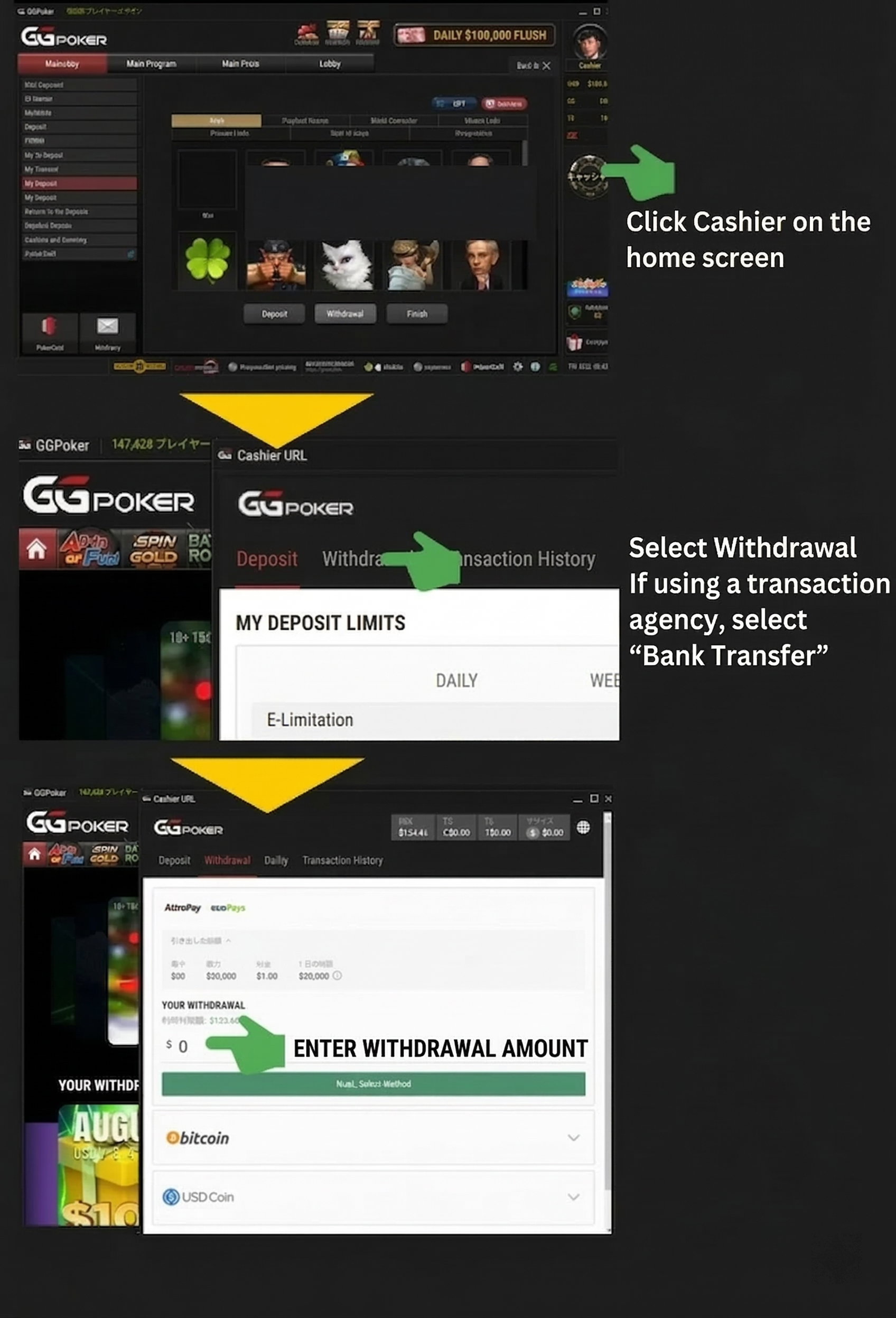
- Open the top of My Page and press “Cashier” on the right side
- Choose “Withdraw” from the top menu (Only for GGStore, choose “Transfer To”)
- Set the “Withdrawal Amount” (20 dollars or more)
At this point, if you want to withdraw via cryptocurrency (Bitcoin / USD Coin), select those methods.
For “Credit/Debit Card, Payz (formerly ecoPayz), AstroPay, MuchBetter,” set the amount and press the “Next: Select Method” button.
These are the common steps for GGPoker withdrawal methods.
Depositing and withdrawing at GGPoker is not difficult as long as you know the method. If you haven’t registered yet, please register from the button below and get started.
GGPoker Procedures by Withdrawal Method
Many people probably “want to know the procedures for each method in detail” regarding GGPoker withdrawals.
Here, we will explain the procedures and ways for each method alongside actual screens.
GGStore (Official Withdrawal Agency / Bank Transfer)
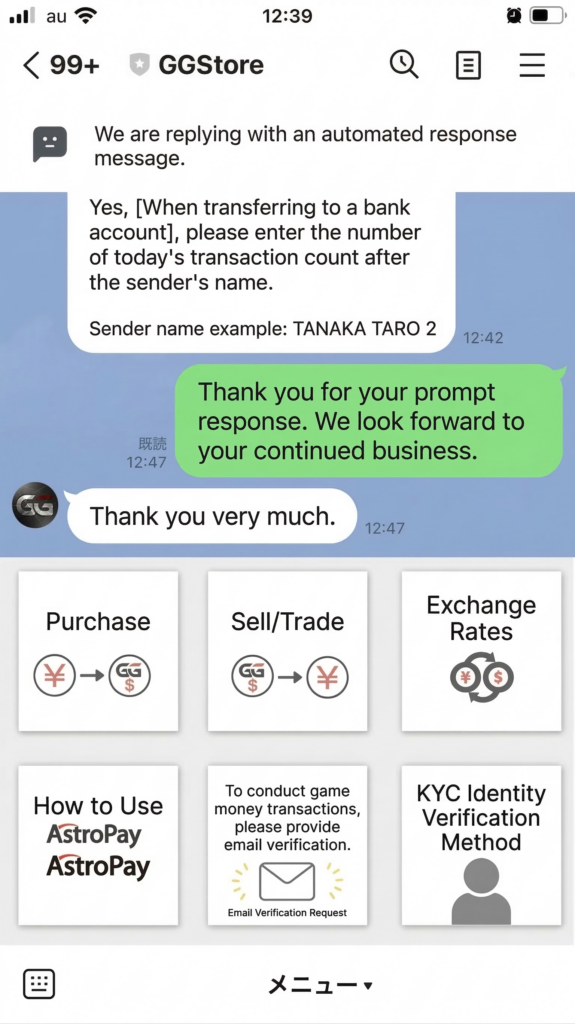
For GGStore, you first need to add the official LINE as a friend.
The method after adding them as a friend is explained in detail in the “Withdrawal Method with GGStore” section.
Credit Card / Debit Card
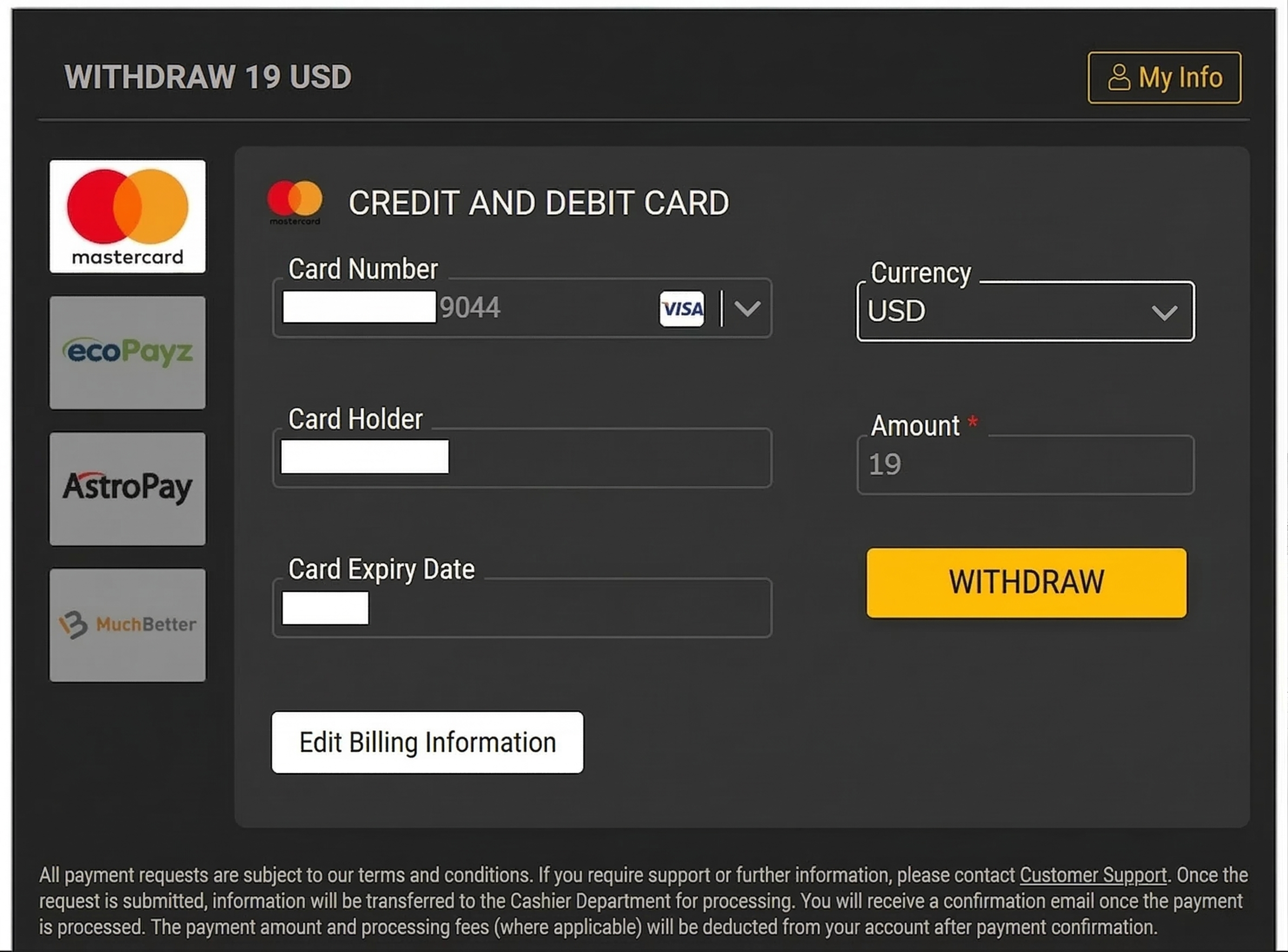
Credit card / Debit card is selected first on the “Withdraw” screen.
And the card information used for the deposit is already listed as shown above.
Because you are “withdrawing to the card you used for deposit,” the available international brands are VISA, MasterCard, and Cirrus, the same as for deposits.
The point to note is that withdrawals to credit or debit cards are treated as a “cancellation of a purchase.”
It is not a problem within the scope of common sense, but if the frequency is too high, it is possible that the credit company or bank will “no longer accept future deposits.”
Therefore, if you are making consecutive or high-value withdrawals, try to mix in other methods such as GGStore.
Japanese cards that can be used for online poker deposits are valuable, so I want to avoid being unable to deposit!
That’s right. If you are even slightly worried, I recommend using GGStore for everything from the start!
Furthermore, if you have multiple cards, you can switch between them in the section below.
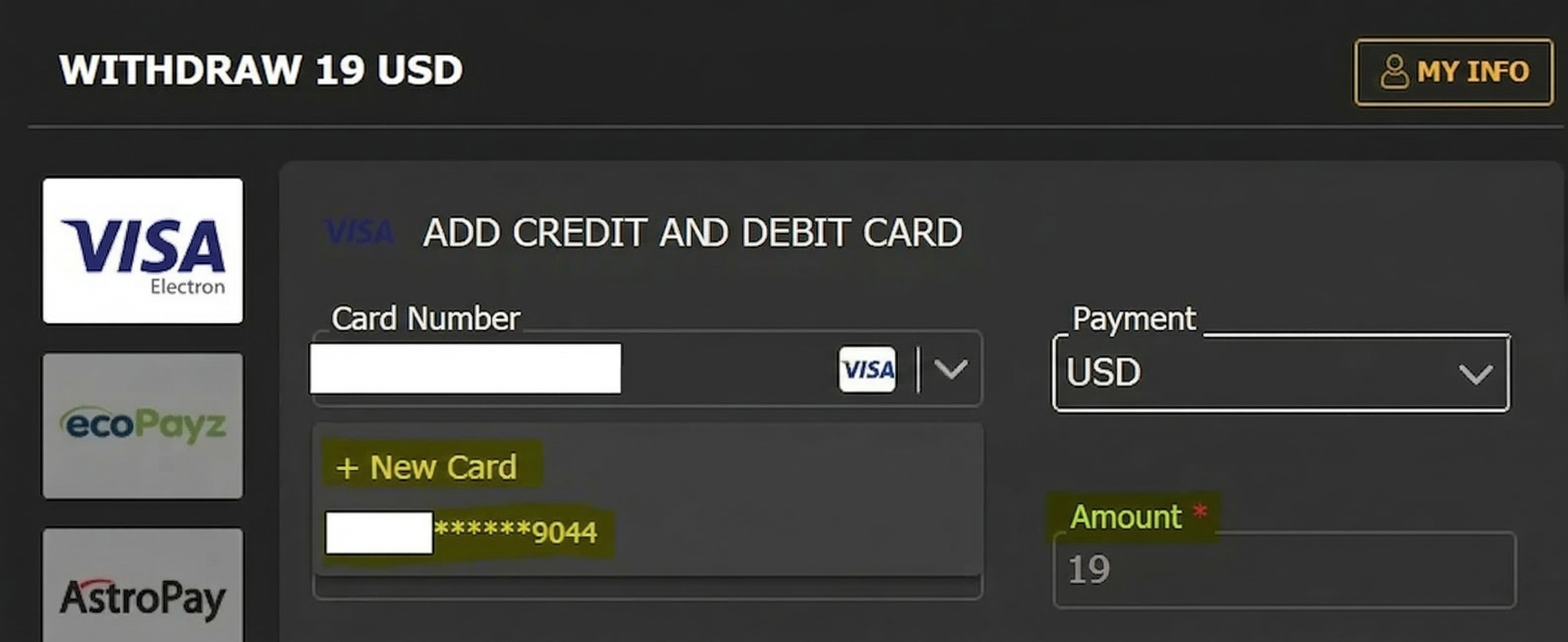
There is a card selection screen, but in principle, you can only withdraw to the “card used for deposit.”
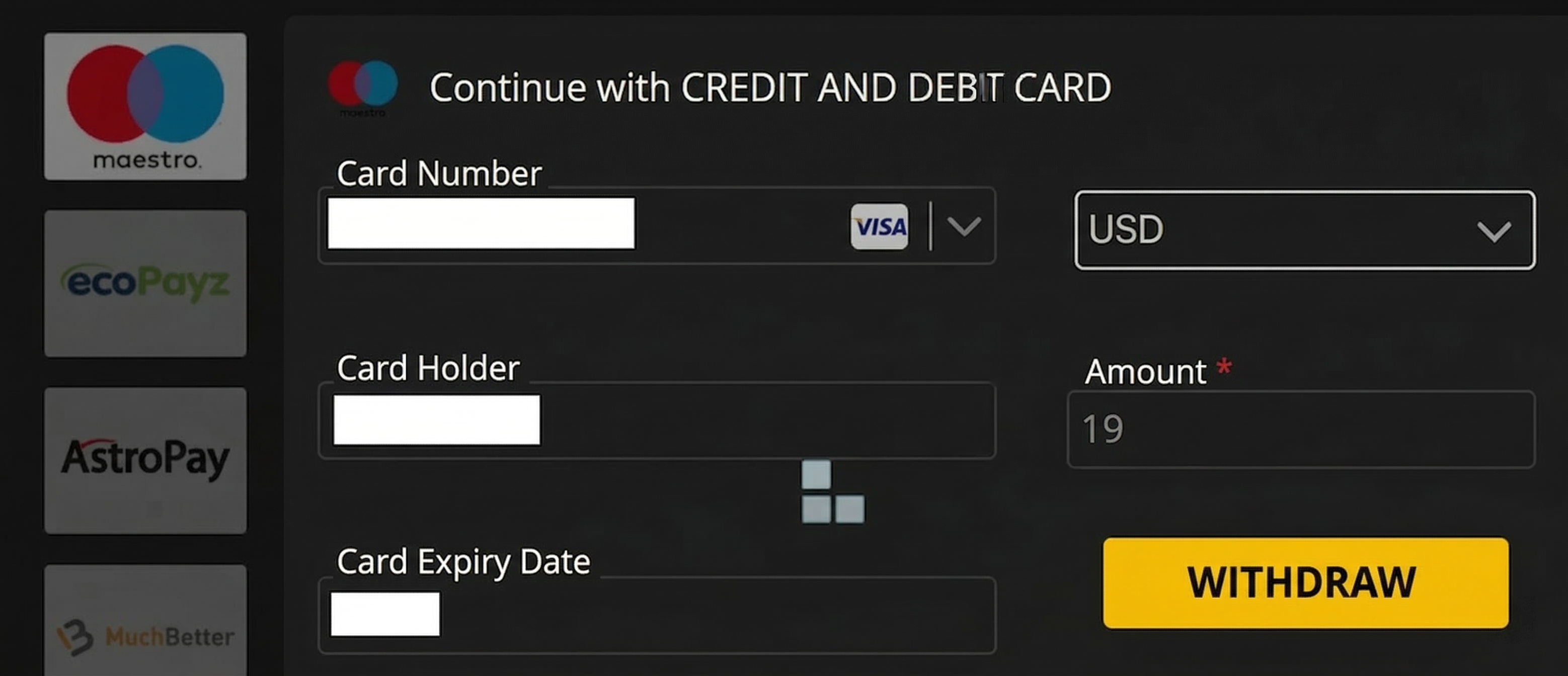
When you press “Withdraw,” it is sent like this.
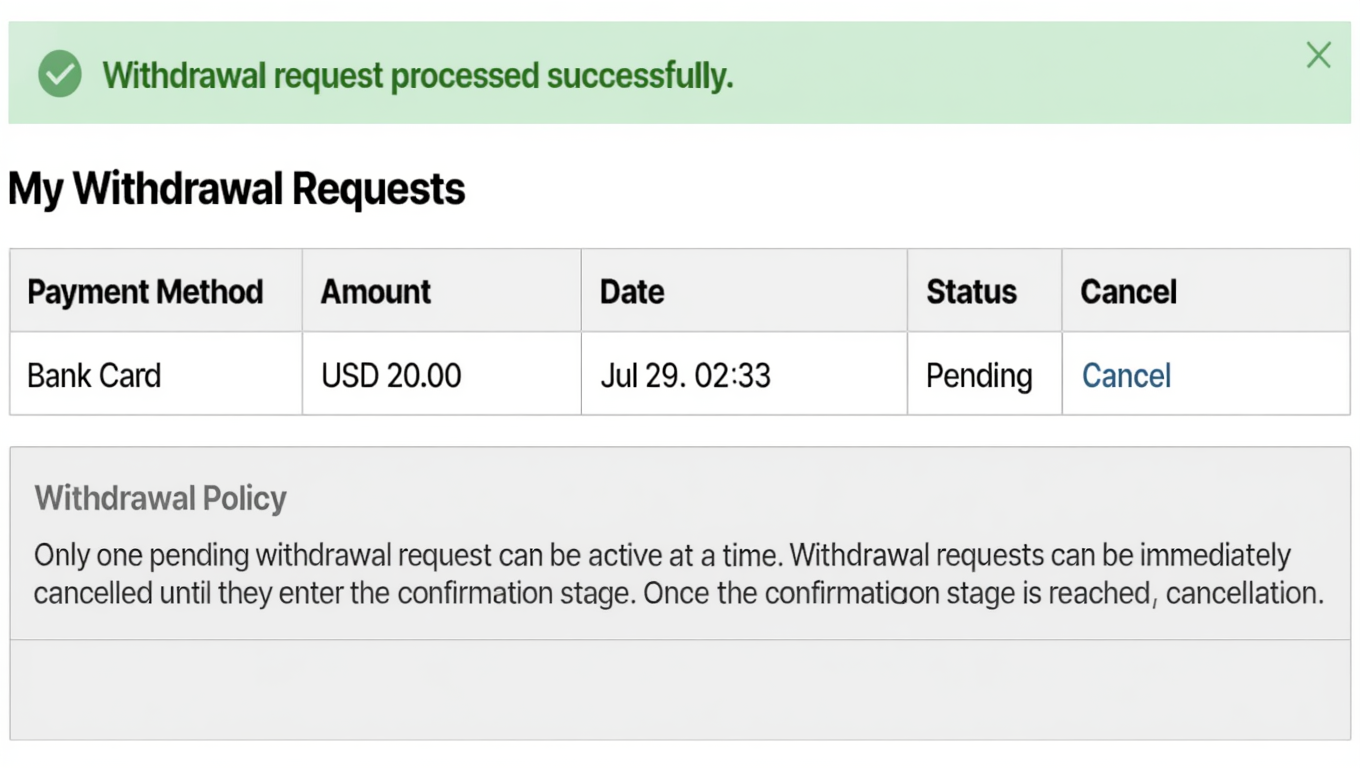
In this way, “Withdrawal request successful” appears, and it enters a pending state.
Payz (Formerly ecoPayz)
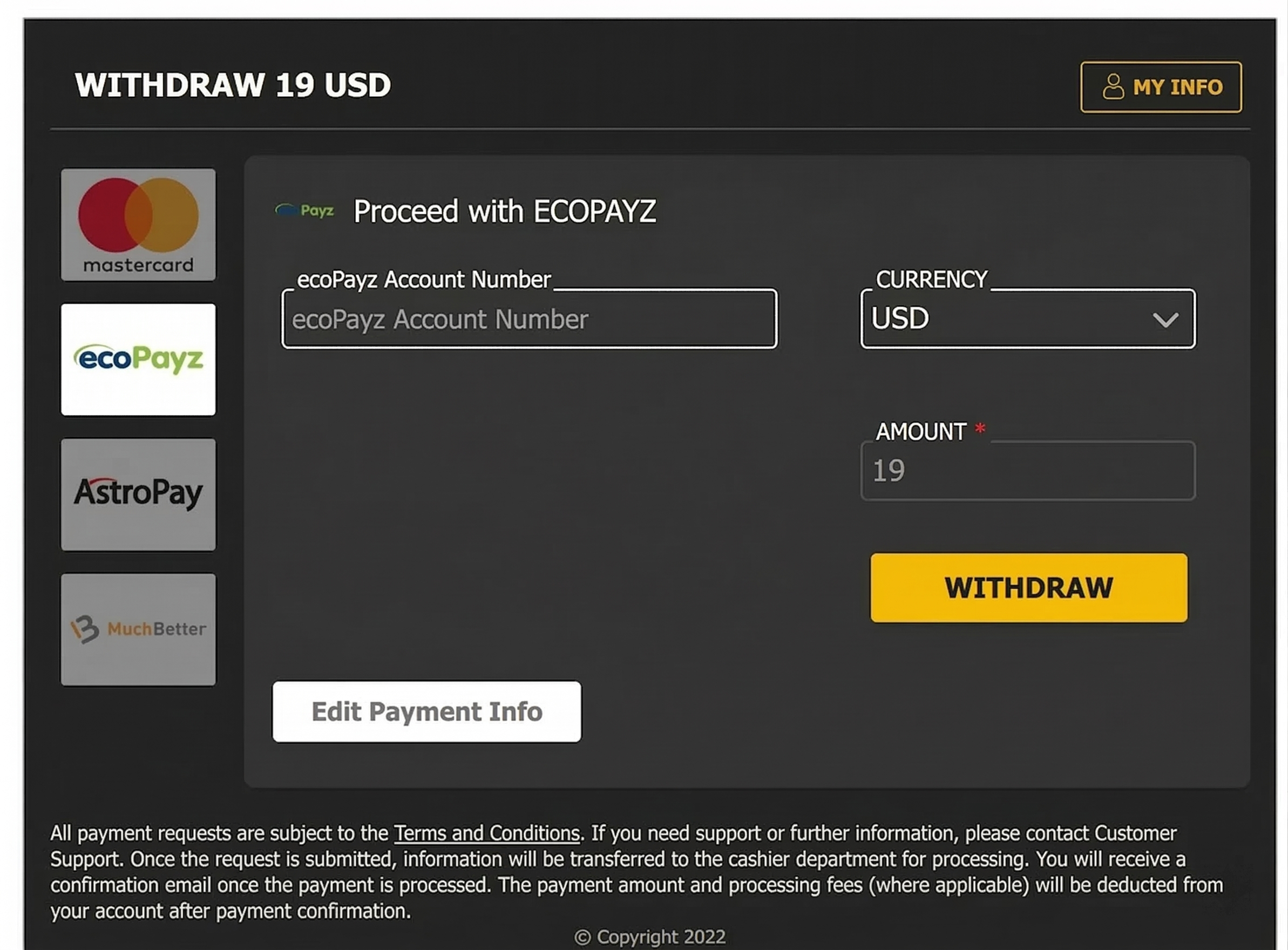
First, select “Payz” on the screen above.
At this point, the Payz Account Number in the middle is blank.
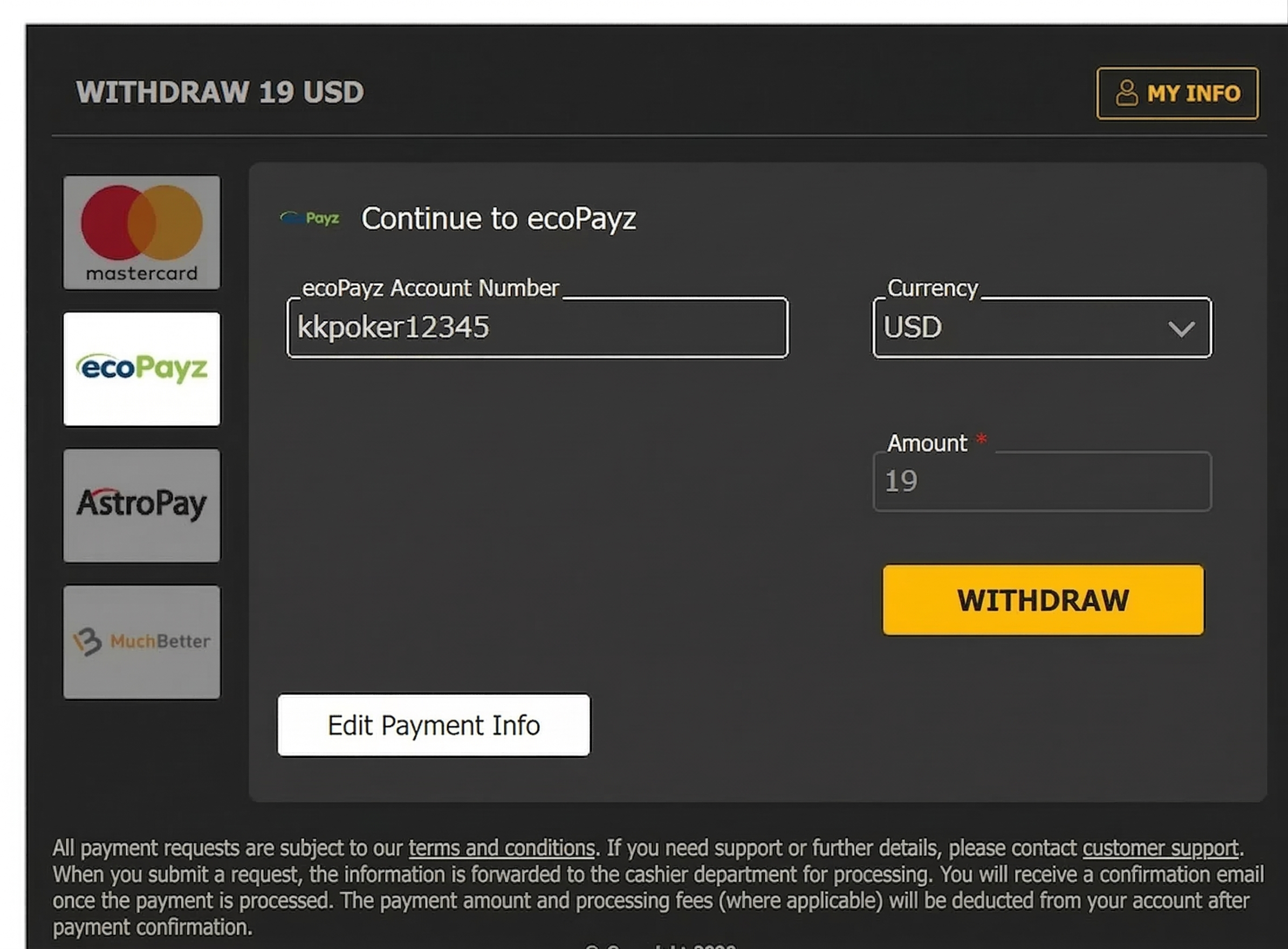
Enter your Payz account number here.
After that, just press “Withdraw” and send it.
AstroPay
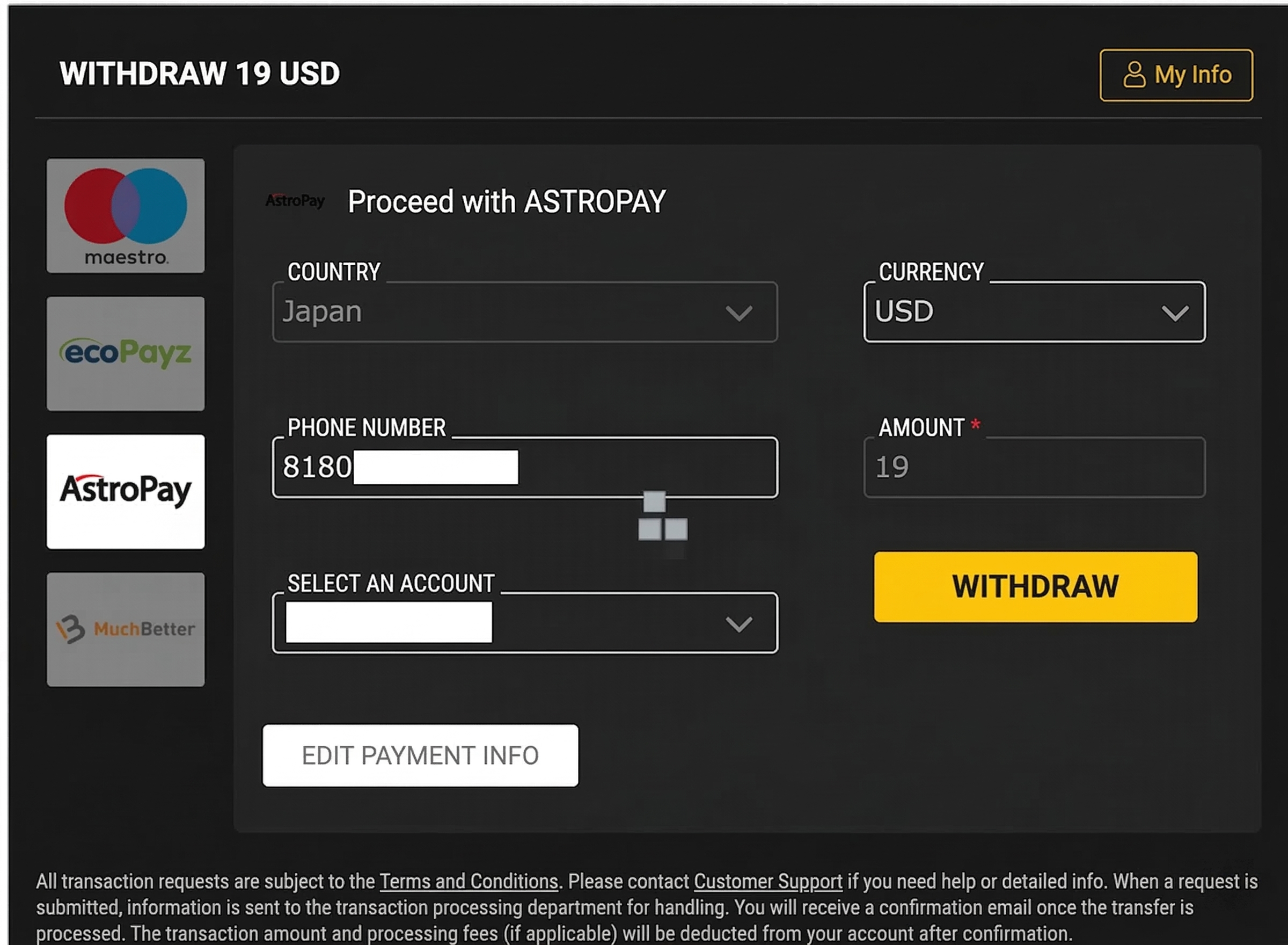
For AstroPay as well, the “account used for deposit” is entered at the point of selection.
When you press “Withdraw,” it enters payment processing like this.
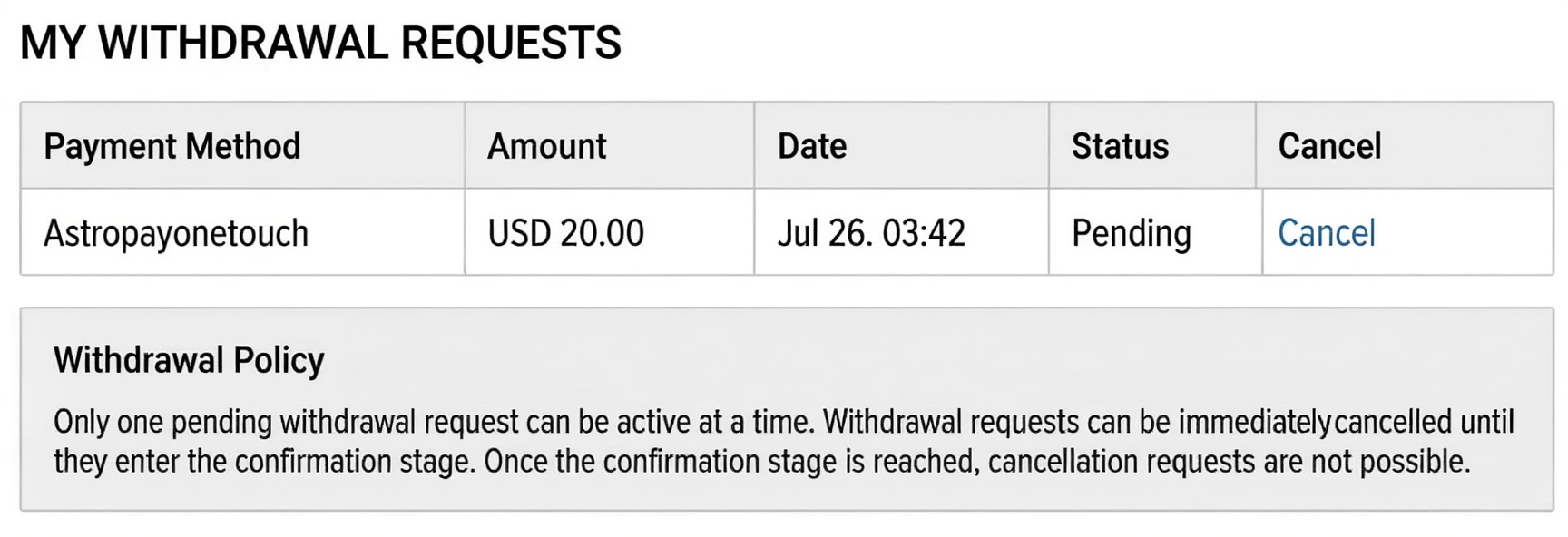
Once the request reaches AstroPay, it is reflected in the “Withdrawal Request” as shown above.
It is marked as “Pending” until it is confirmed.
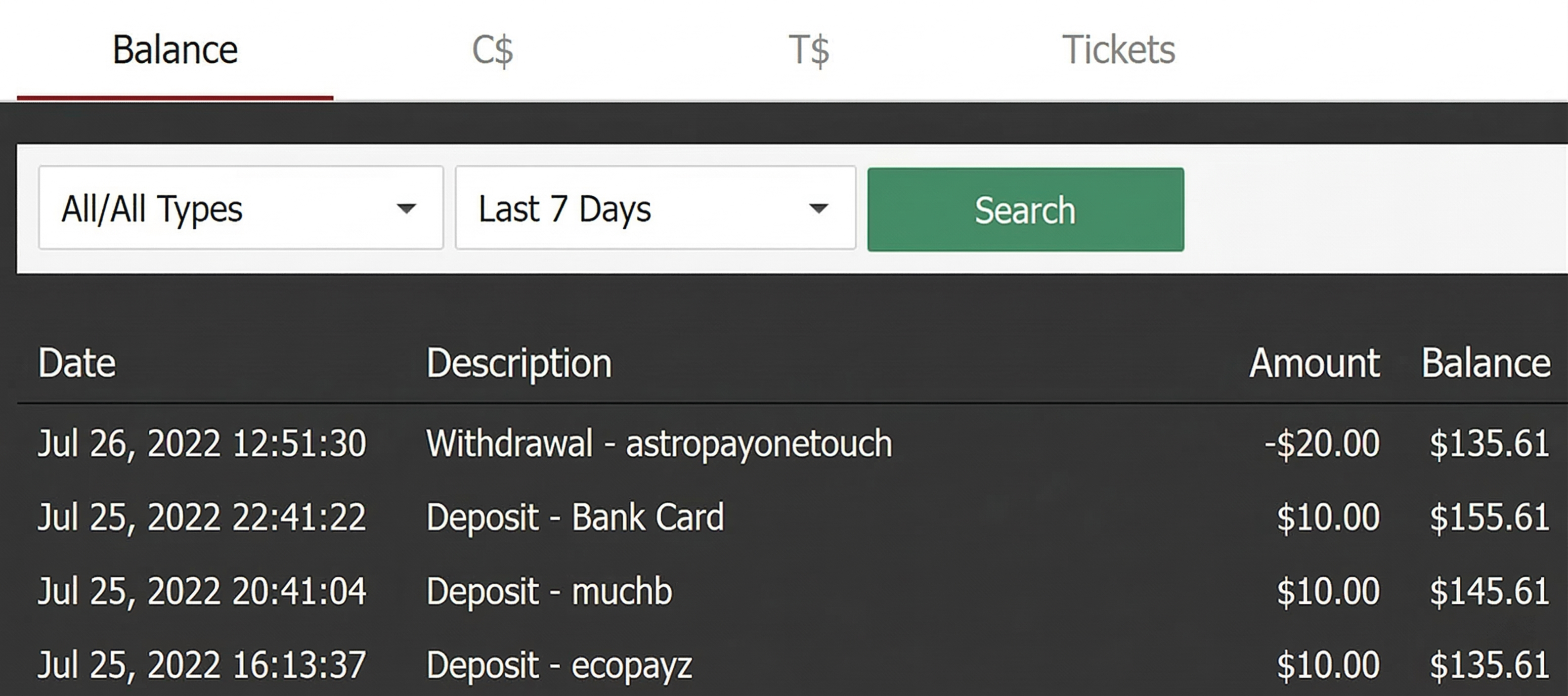
Even in the pending state, it is deducted from the balance and recorded as “Withdrawal – astropayonetouch” as shown above.
Note that if the payment fails, this amount will be returned to your GGPoker account.
Much Better
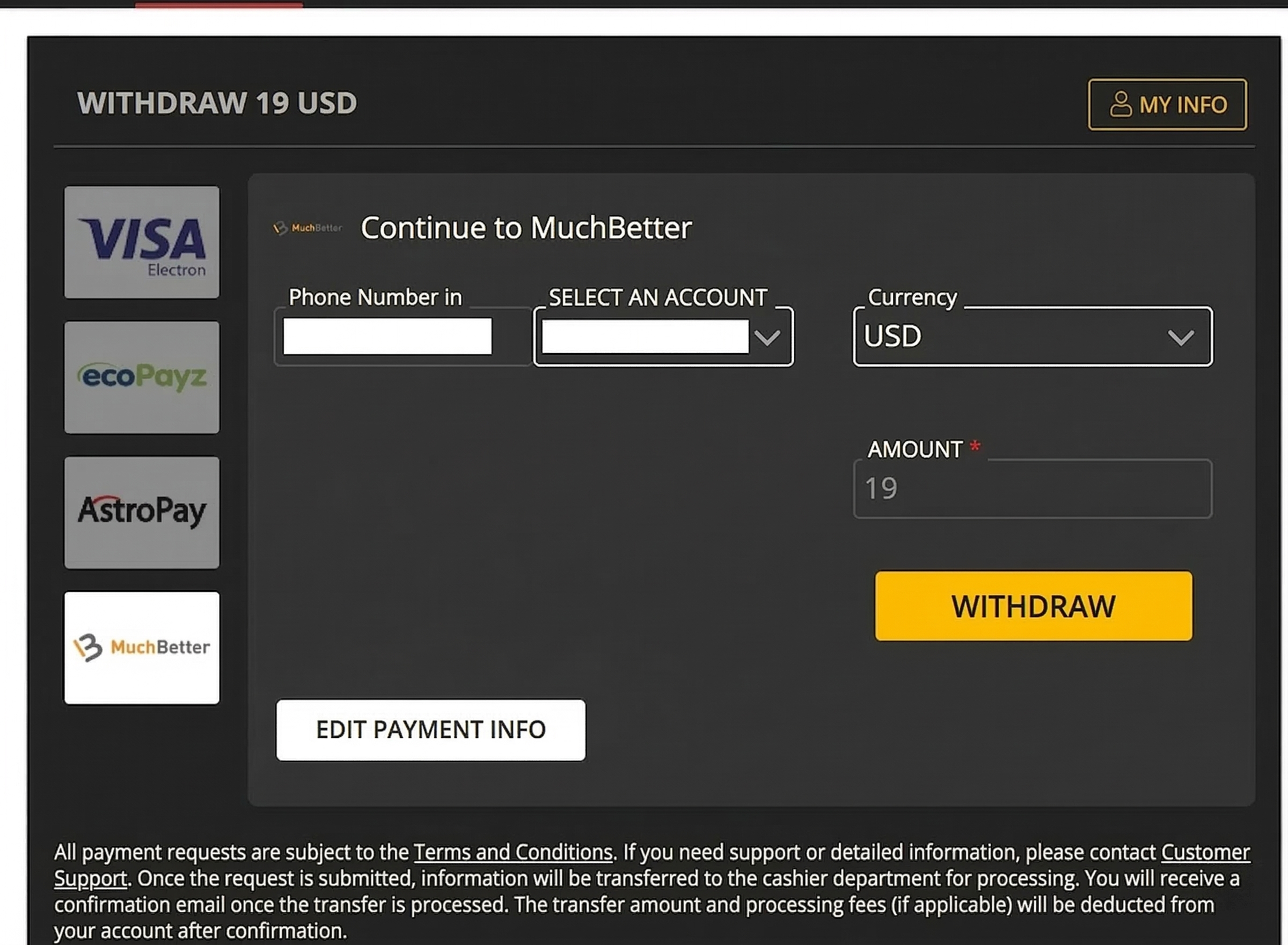
For MuchBetter as well, the “account used for deposit” is already entered when selected.
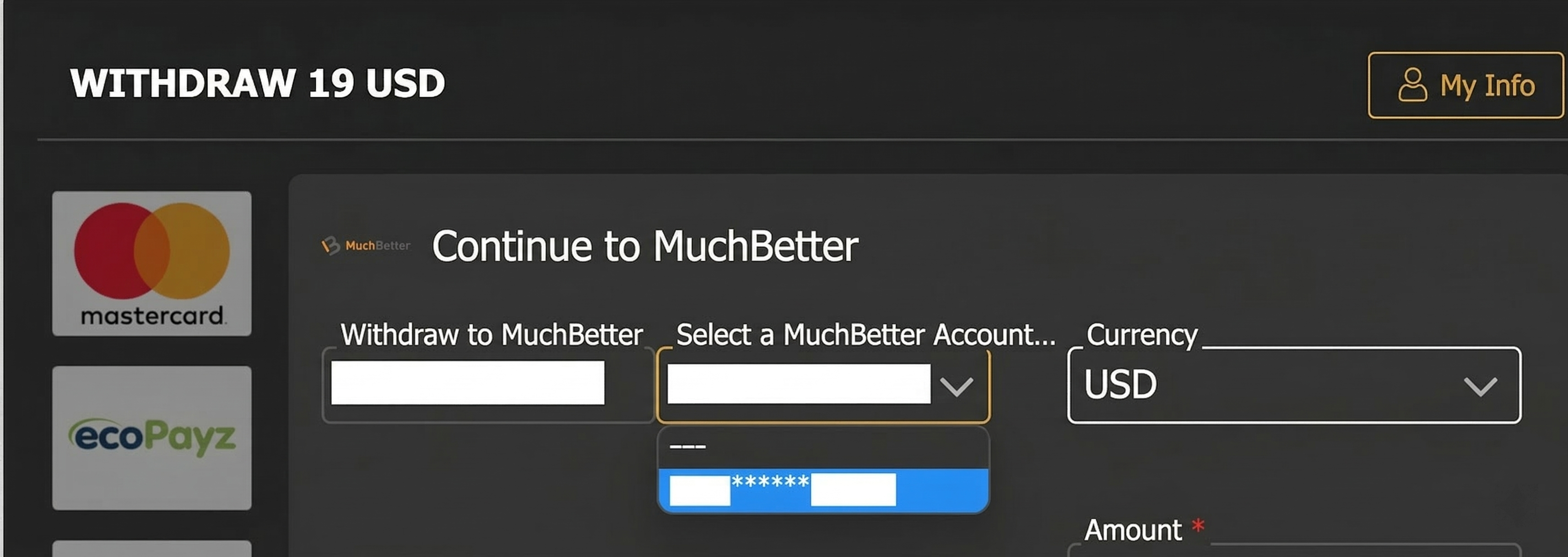
If you have multiple accounts, you can select from here.
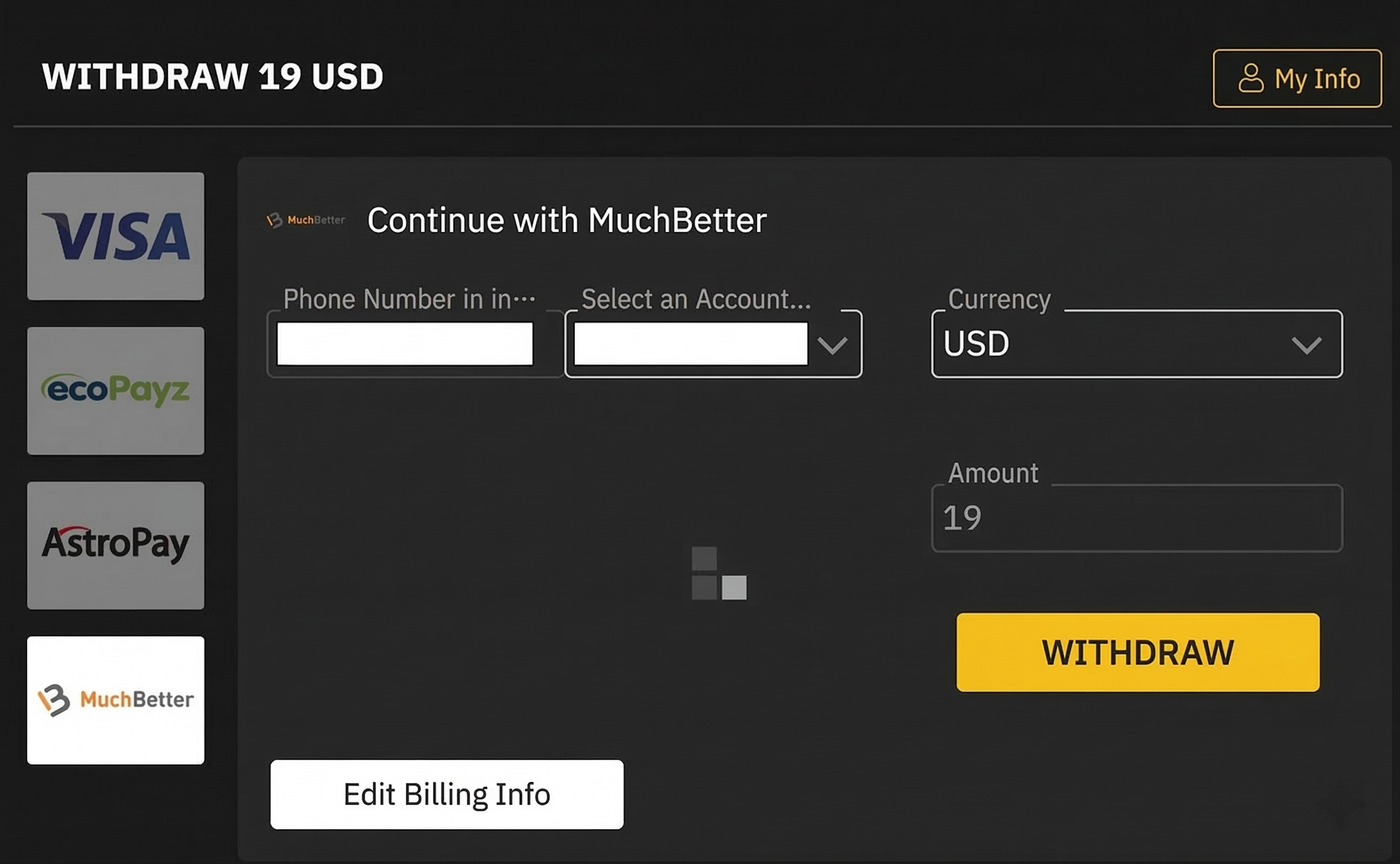
When you press “Withdraw,” the request is sent as shown above.
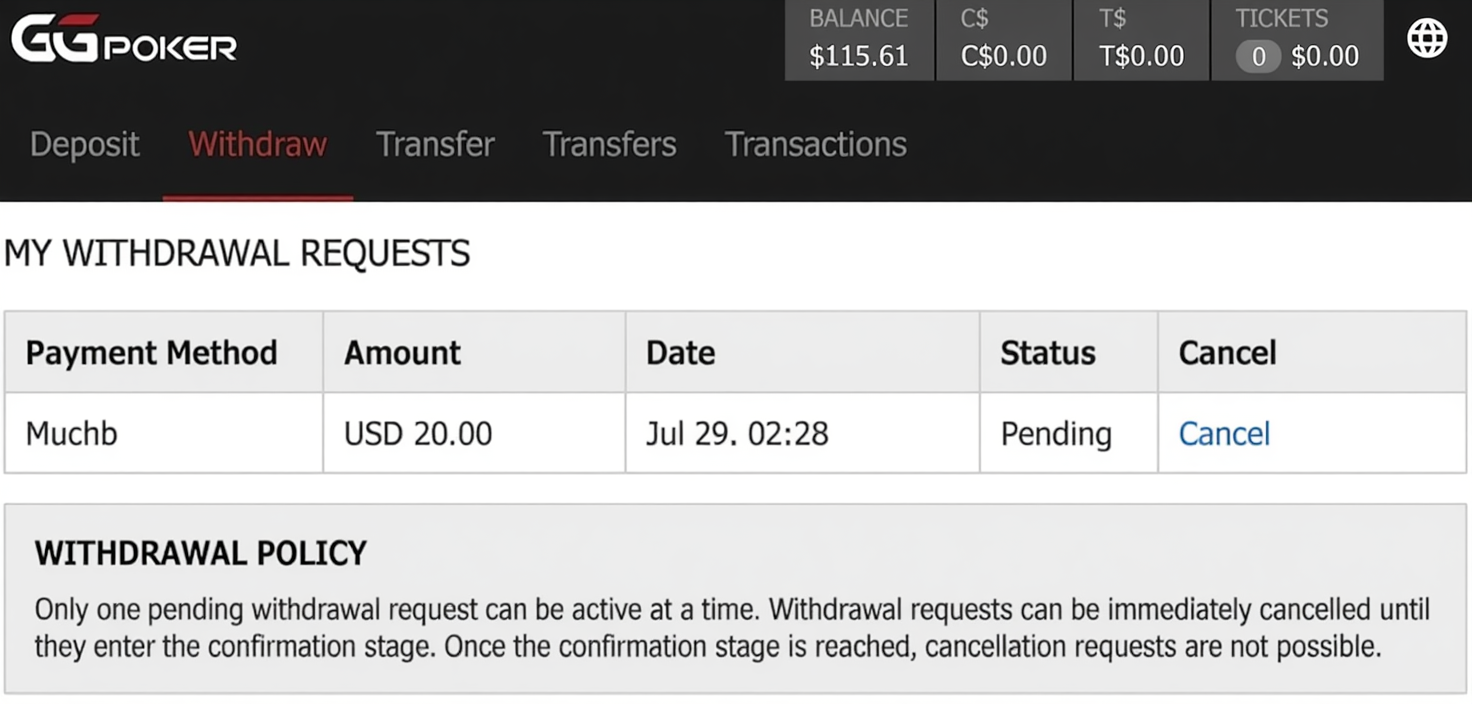
The request has been sent like this.
This one also starts in a “Pending” state.
Cryptocurrency (Bitcoin)
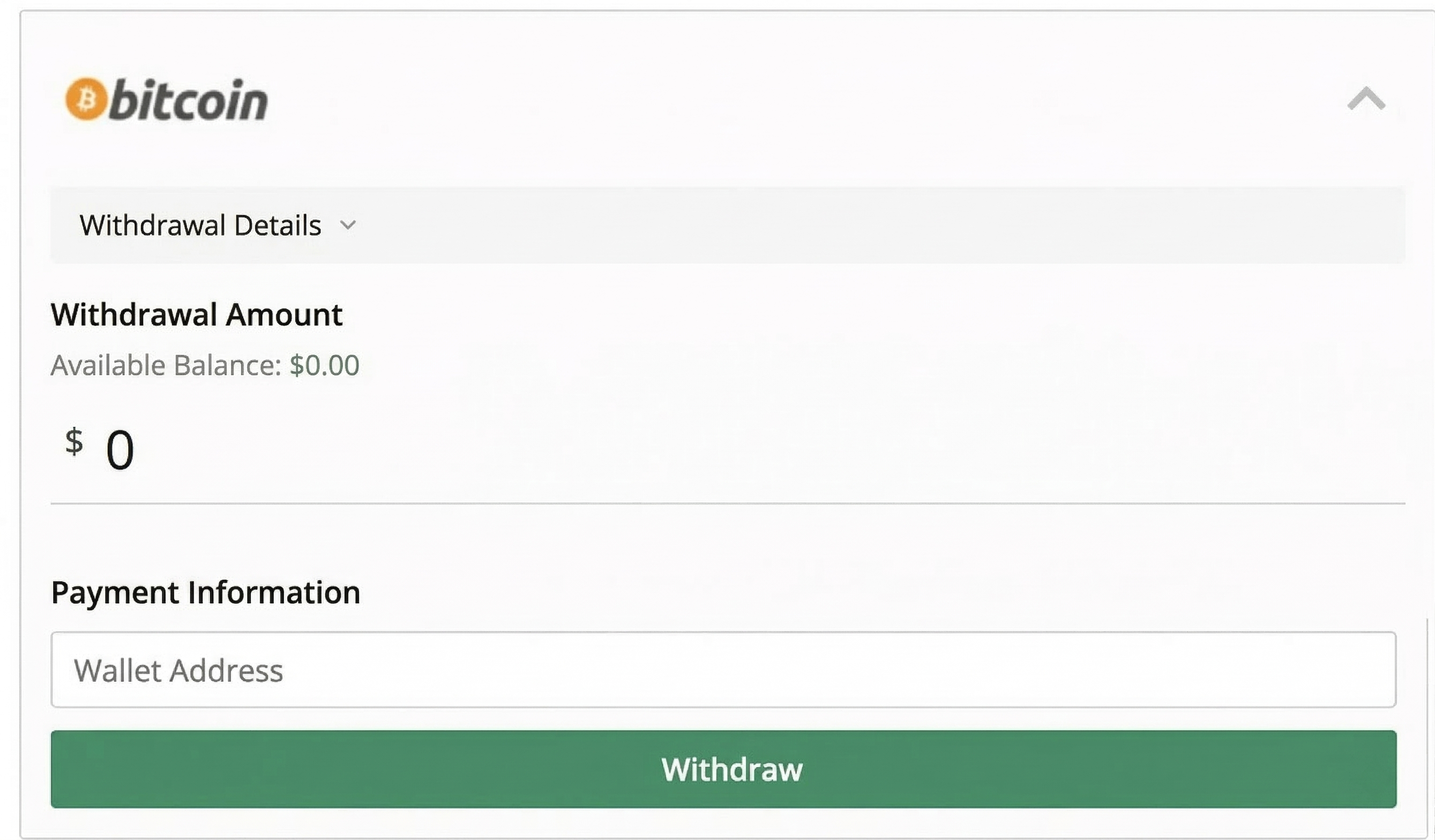
If you choose “Bitcoin” as the payment method, a screen like the one above will appear.
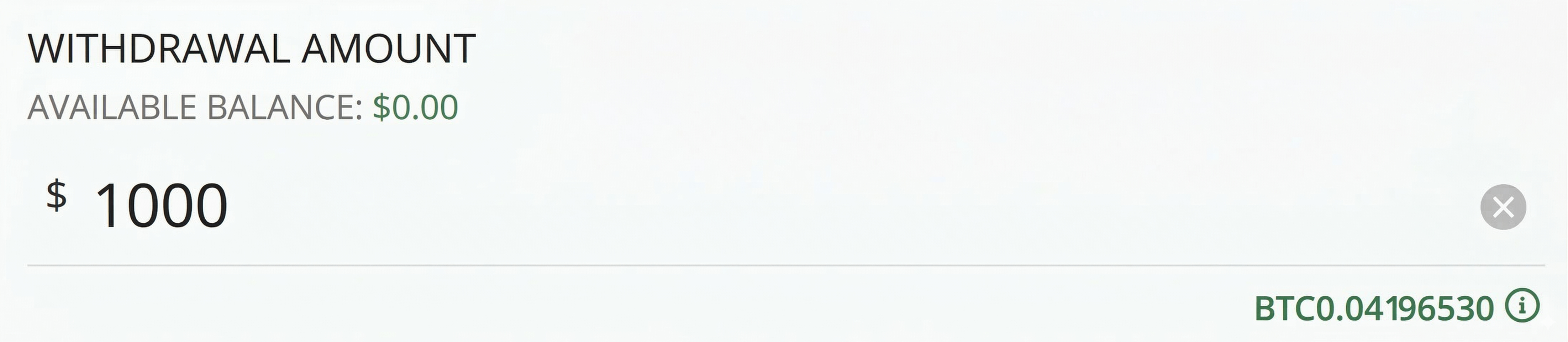
First, set the “Withdrawal Amount.”
Bitcoin starts from a minimum of 1,000 dollars.
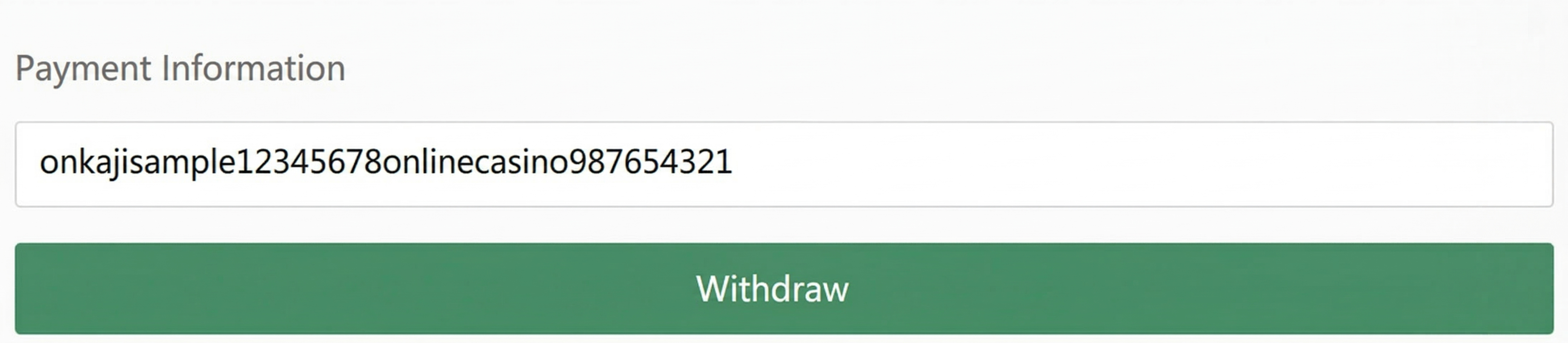
Enter the wallet address you want to send to and press “Withdraw.”
Cryptocurrency (USD Coin)
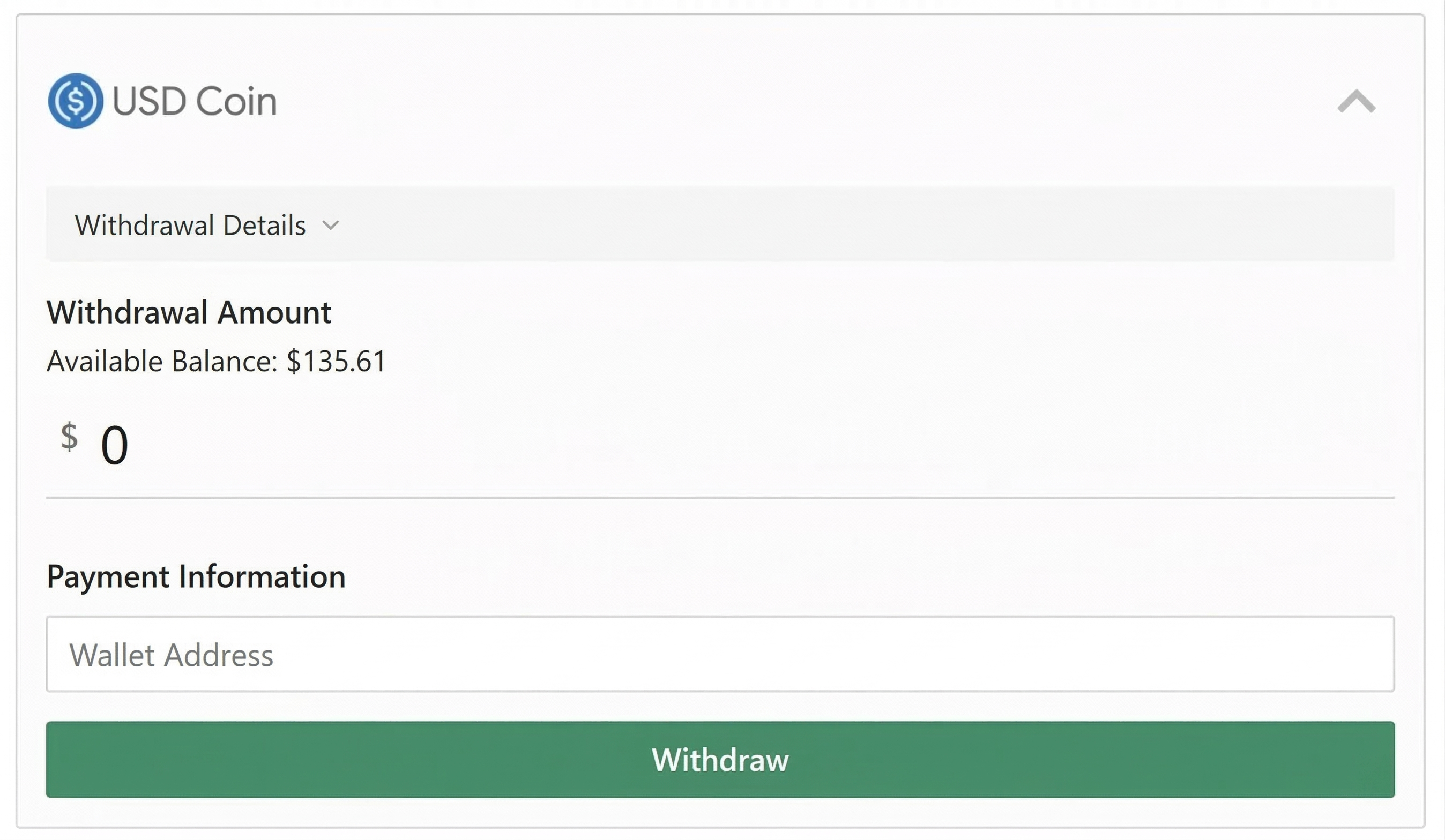
If you choose “USD Coin” as the payment method, a screen like the one above will appear.
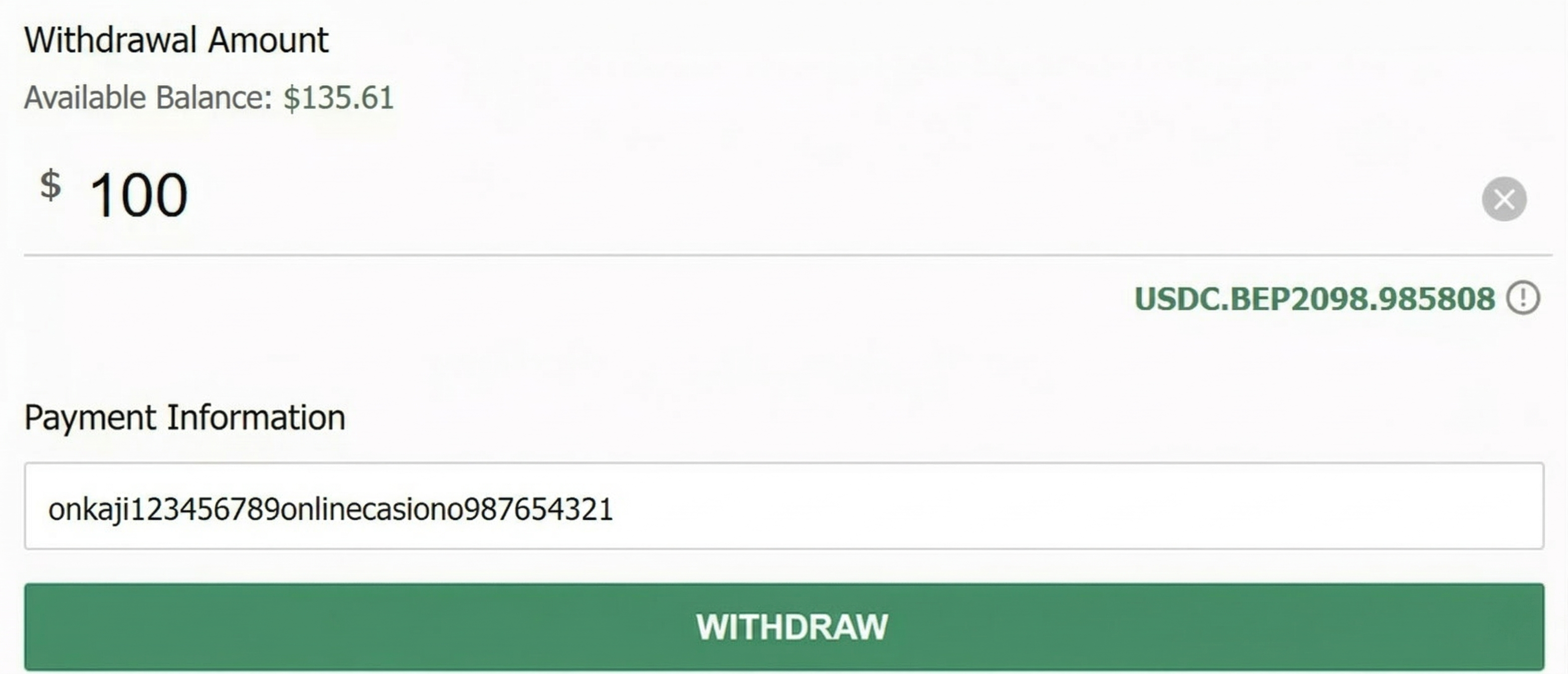
Just like Bitcoin, enter the withdrawal amount and wallet address.
The minimum withdrawal for USD Coin is 100 dollars, not 1,000 dollars.
Poker Stores
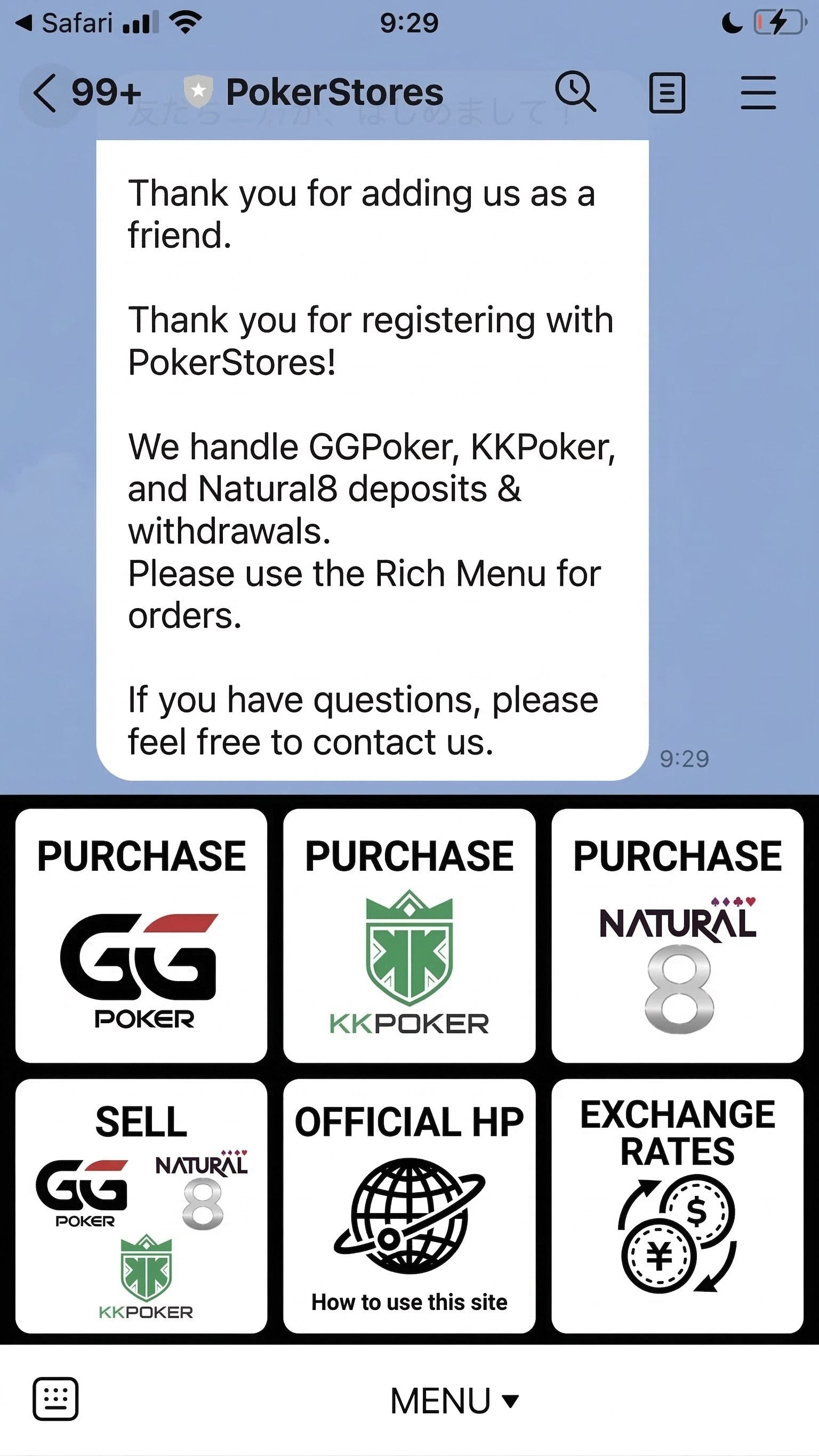
Since POKERSTORES is a deposit/withdrawal service that supports all four major poker sites, you won’t have trouble with deposits or withdrawals if you are registered.
Sending Money from Acquaintances/Friends
There is also a withdrawal method where you send dollars to an acquaintance or friend and have them exchange them for cash. The way to send money is simple, and the basic operation is the same as when using a withdrawal agency.
Click the cashier introduced in “GGPoker Withdrawal Procedure – Common Steps for All Methods” and select “Transfer To.” Then, a screen like the one below will appear, so fill in the email address or phone number specified as the recipient and the transfer amount.
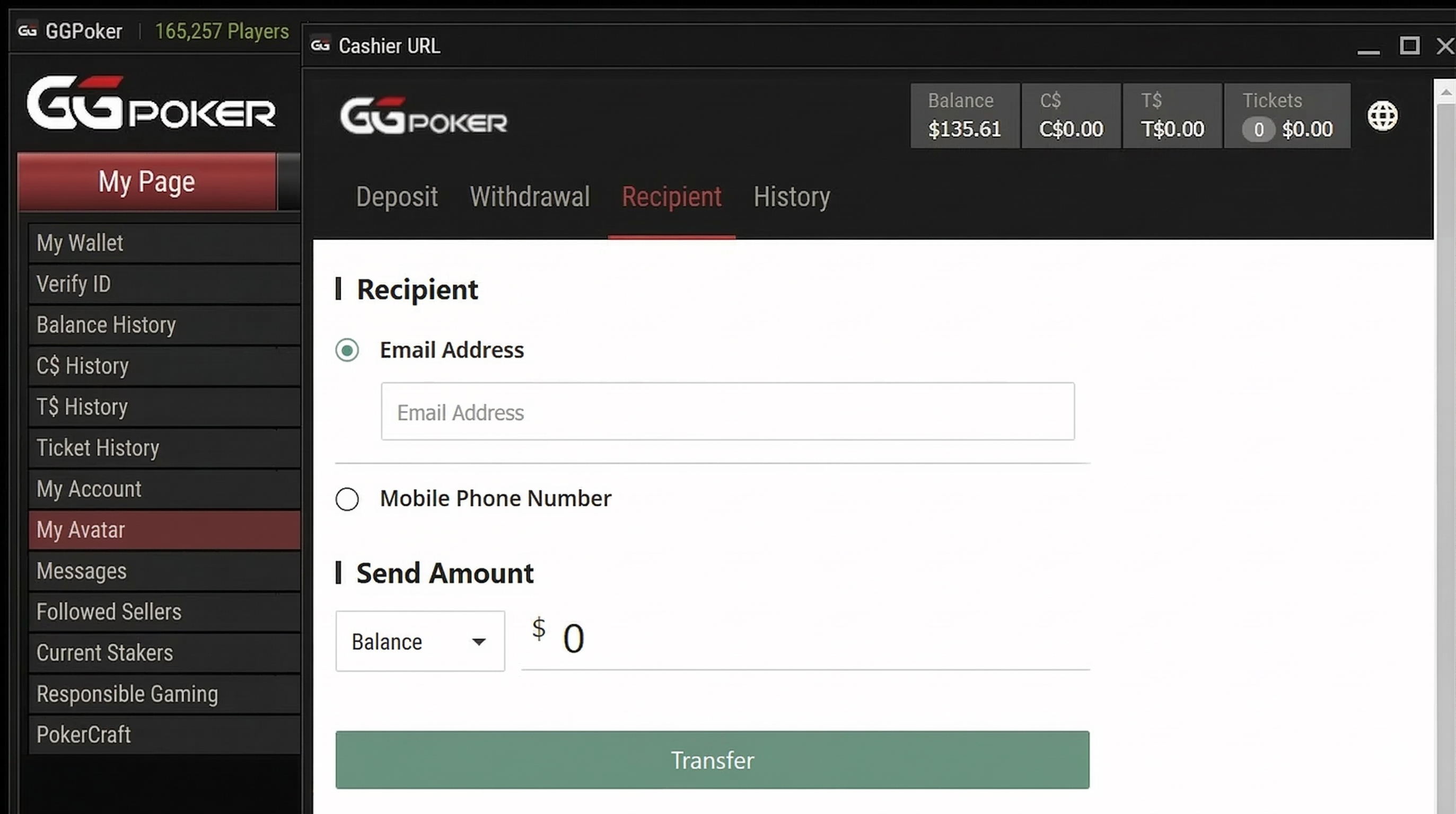
Finally, when you press the transfer button, you will be asked to confirm if you really want to send the money, so press OK and the transfer is complete.
Once you receive the cash equivalent to the amount sent, all procedures are complete, but we do not highly recommend this as such transactions have a high possibility of developing into financial trouble like fraud.
If you want to withdraw using a simple method, we recommend using “GGStore,” which is GGPoker’s official withdrawal agency, even if the fee is slightly higher.
GGPoker has a wealth of withdrawal methods, and by using a withdrawal agency, you can easily cash out the money you’ve earned. If you haven’t registered for GGPoker yet, please start via the button below.
\Limited Bonuses!/
Withdrawal Method with GGStore (Official LINE / Bank Transfer)
The overwhelmingly convenient withdrawal method for GGPoker is GGStore.
GGStore is an official deposit/withdrawal agency service, and you apply from a LINE account. Then, the withdrawal is performed via bank transfer.
Here, we will explain the withdrawal method using the official withdrawal agency GGStore with actual screens.
If you want to proceed while looking at the article, please access GGStore from the QR code or link below.
![GGStore Official LINE]](https://stg1.onlinecasino-record.com/wp-content/uploads/2024/02/ggpoker-withdraw29.png)
Contacting via Official LINE
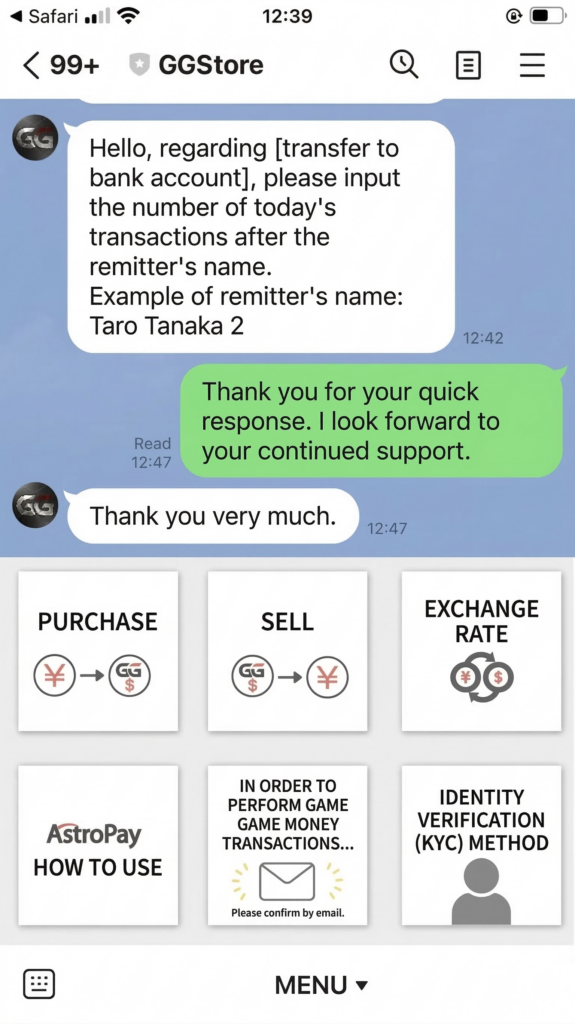
First, press “Menu” at the very bottom of the GGStore LINE.
The menu will appear as shown above, so choose “Purchase.”
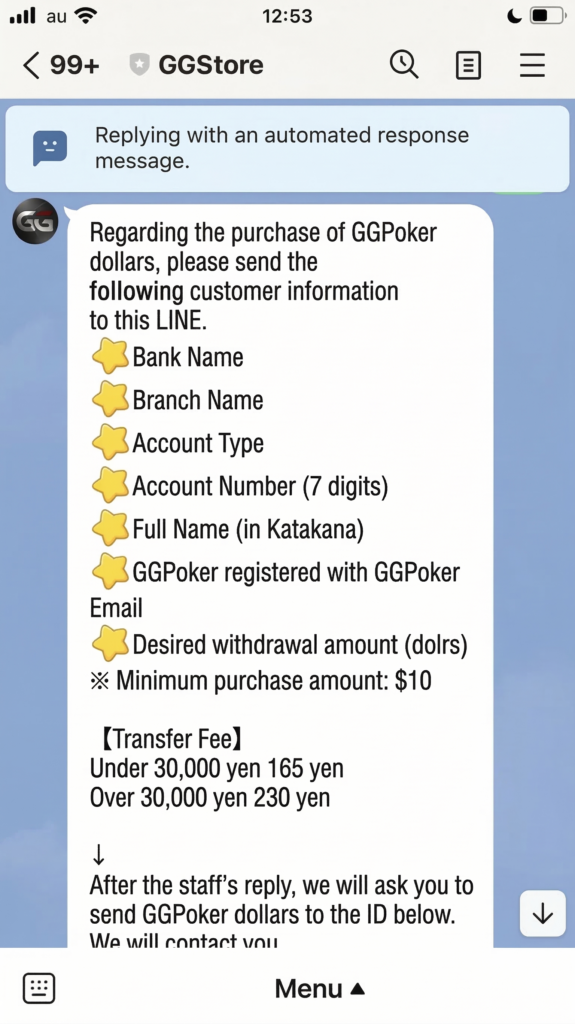
The details of the purchase appear in an automated message like this.
First, send your bank account and other information via LINE as follows:
- Bank Name
- Branch Name
- Account Type
- Account Number (7 digits)
- Name (Kana)
- Email address registered with GGPoker
- Desired withdrawal amount (Dollars)
As stated, the minimum purchase amount is 10 dollars, so you must request 10 dollars or more.
The transfer fees are as follows:
| Desired Withdrawal Amount | Transfer Fee |
|---|---|
| Under 30,000 yen | 165 yen |
| 30,000 yen or more | 230 yen |
And the rest of the message is as follows:
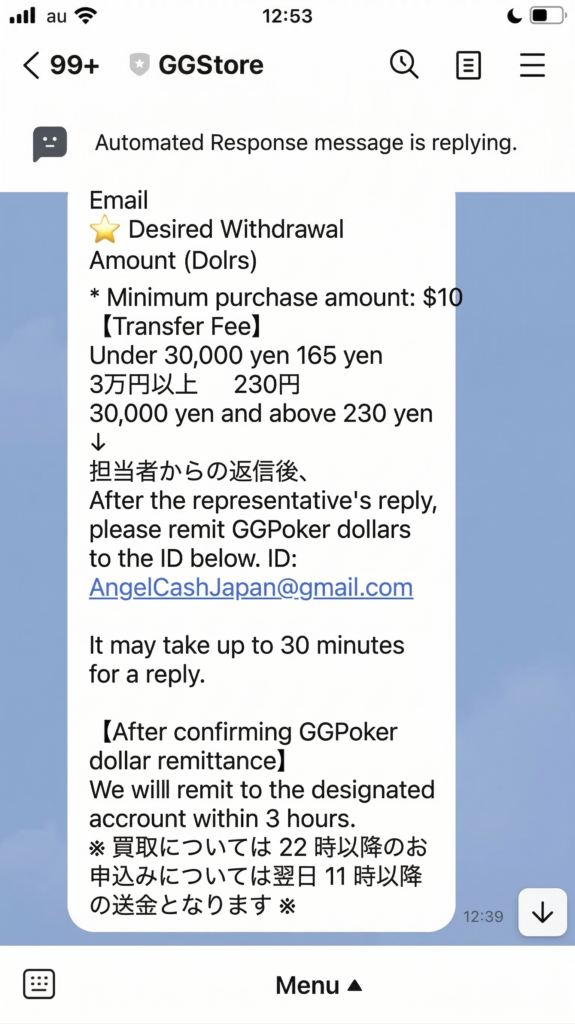
The flow is to send the LINE, and once you receive a reply from the staff, send the GG Poker Dollars to the following ID.
At GGPoker, you can specify the ID (account) by email address.
It is noted that the reply may take about 30 minutes.
Also, regarding the transfer time, it states that it will be within 3 hours after the GG Poker Dollars are sent and confirmed by GGStore.
If the application is after 10 PM, the transfer will be after 11 AM the next day.
Sending GG Dollars to the GGStore account
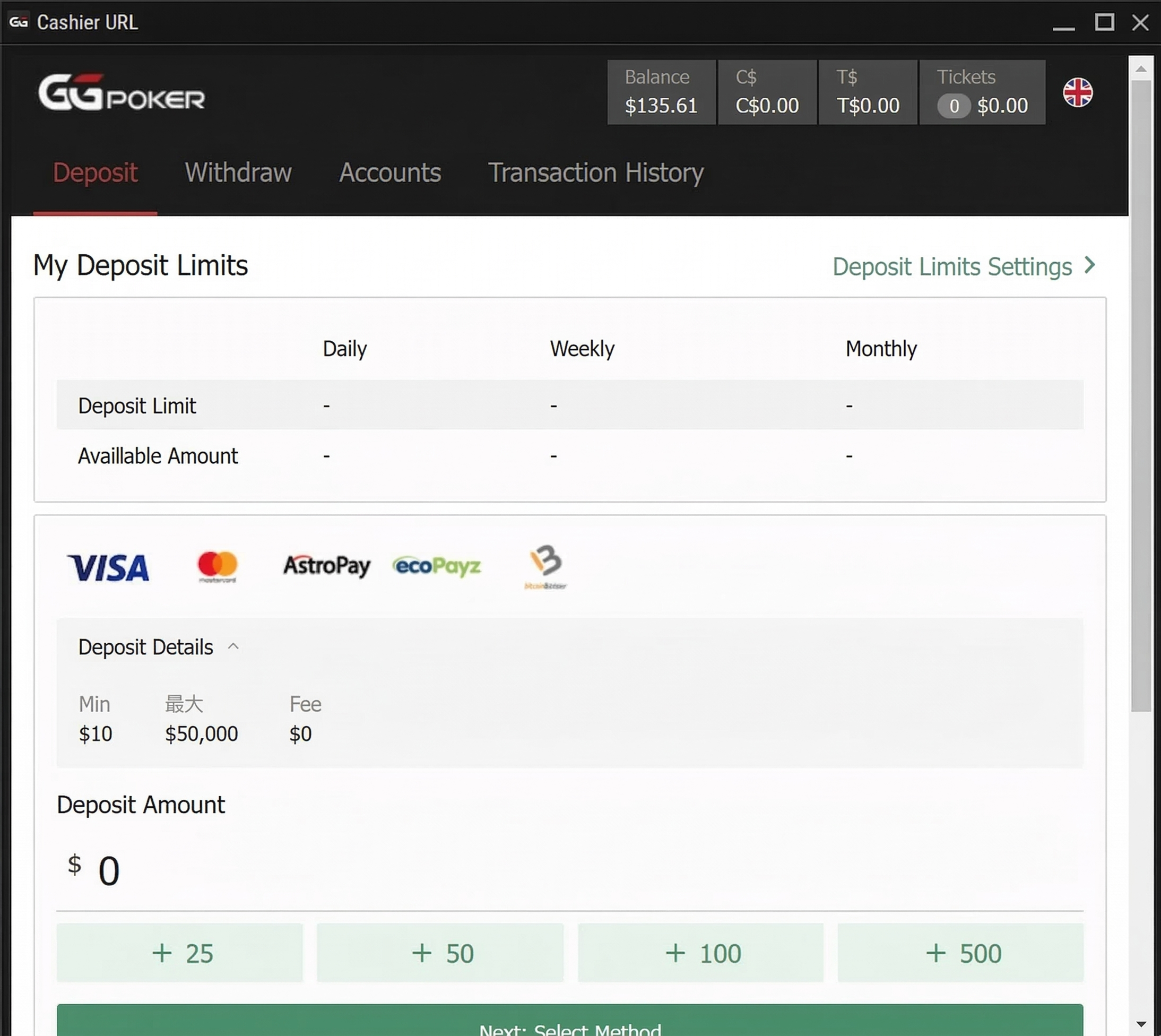
Since you will be on this screen, look at the top menu.
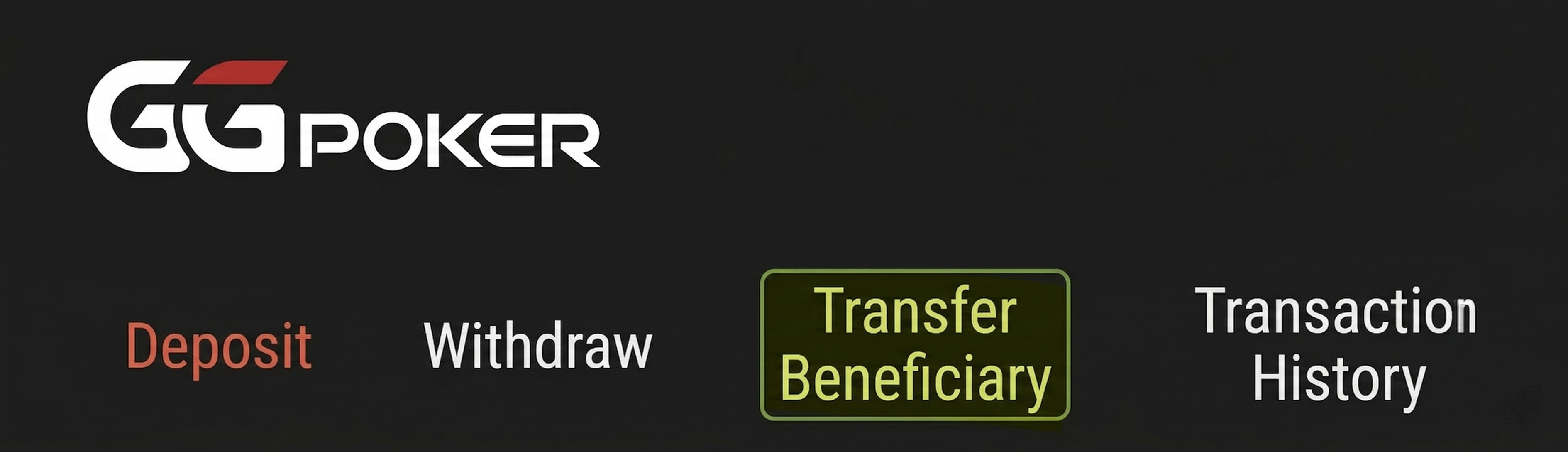
Press this “Transfer To.”
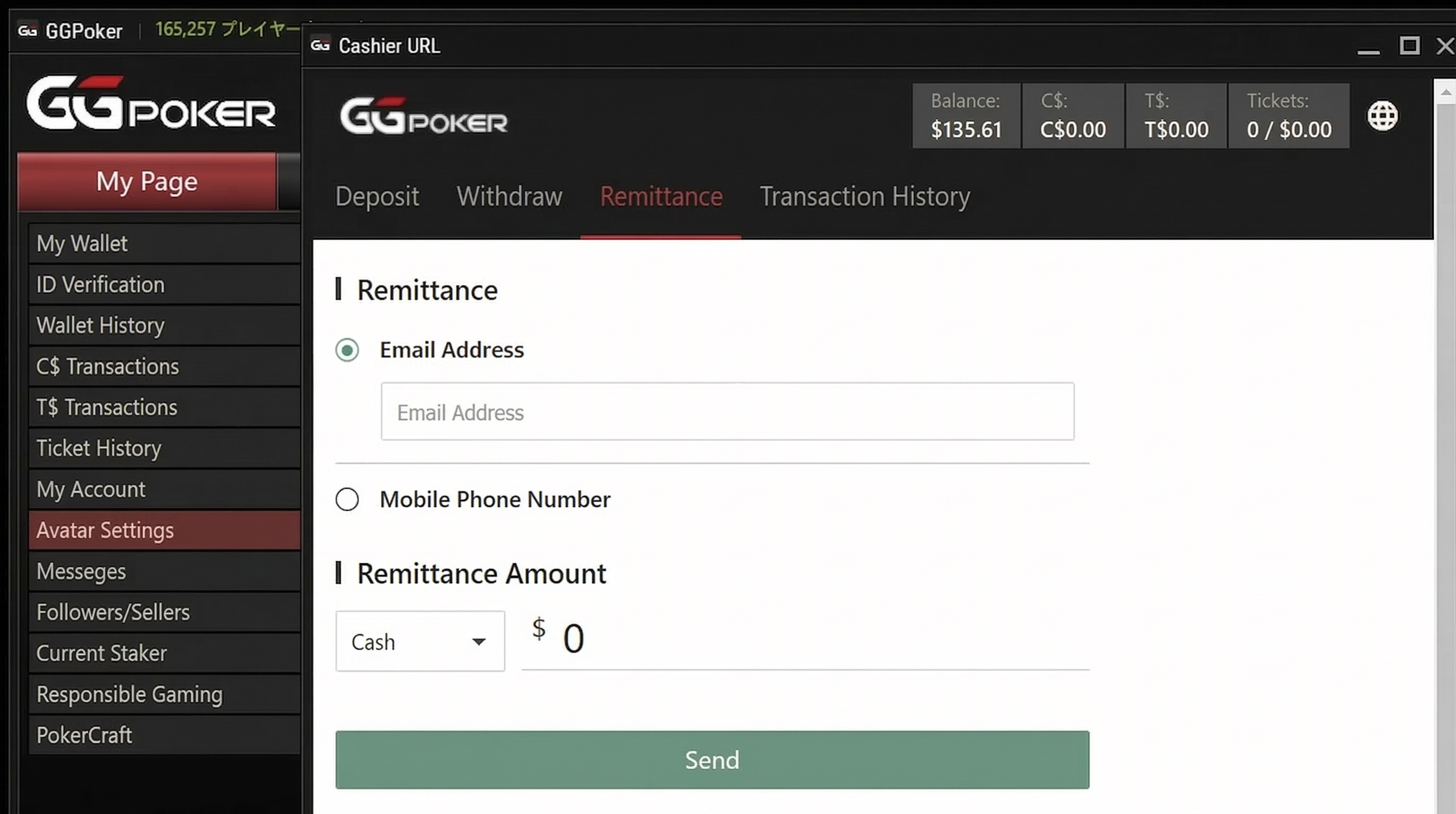
Pressing “Transfer To” leads to this screen.
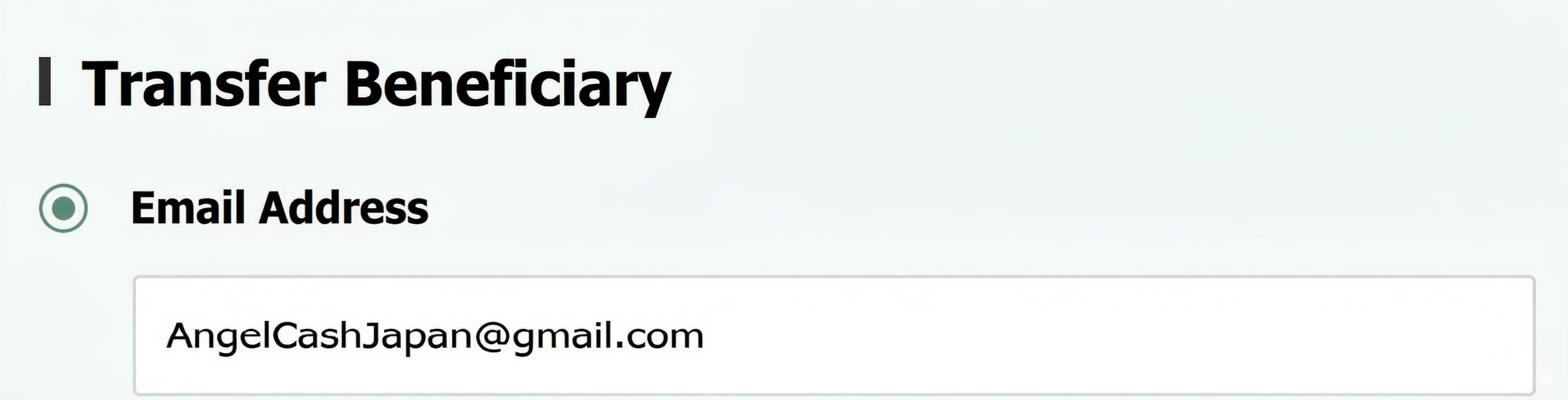
First, enter the email address.
It is “AngelCashJapan@gmail.com” which was specified earlier.
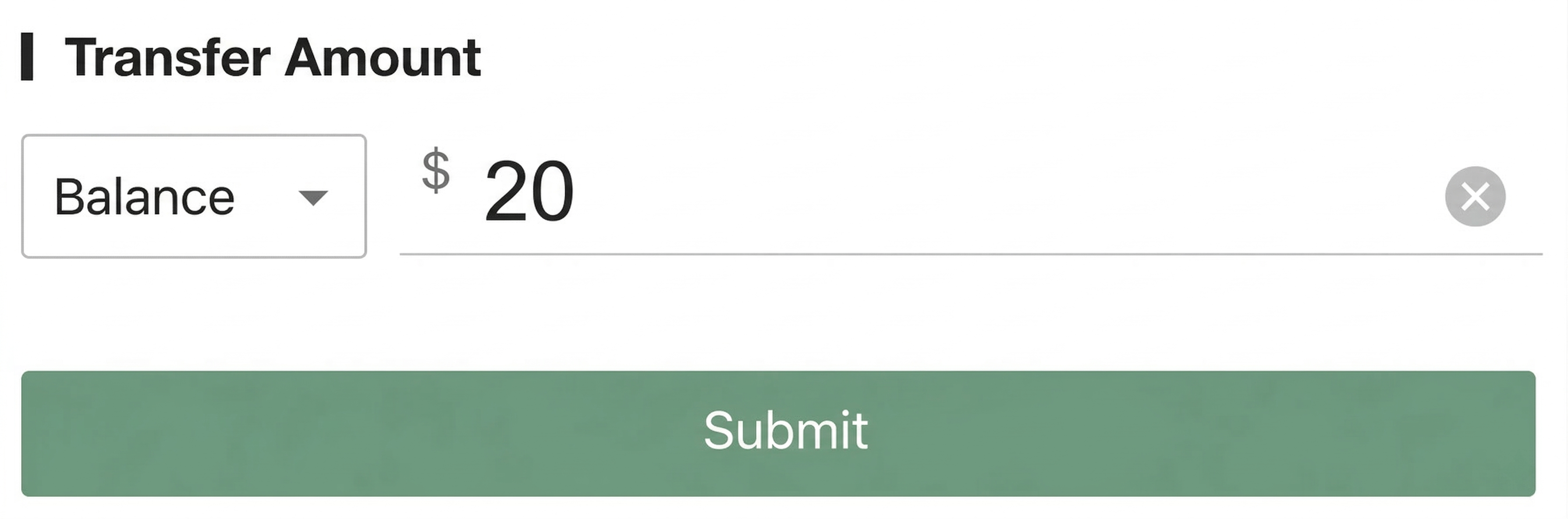
Enter the transfer amount.
A minimum of 10 dollars is fine, but this time I chose 20 dollars.
Press “Transfer To” to proceed.
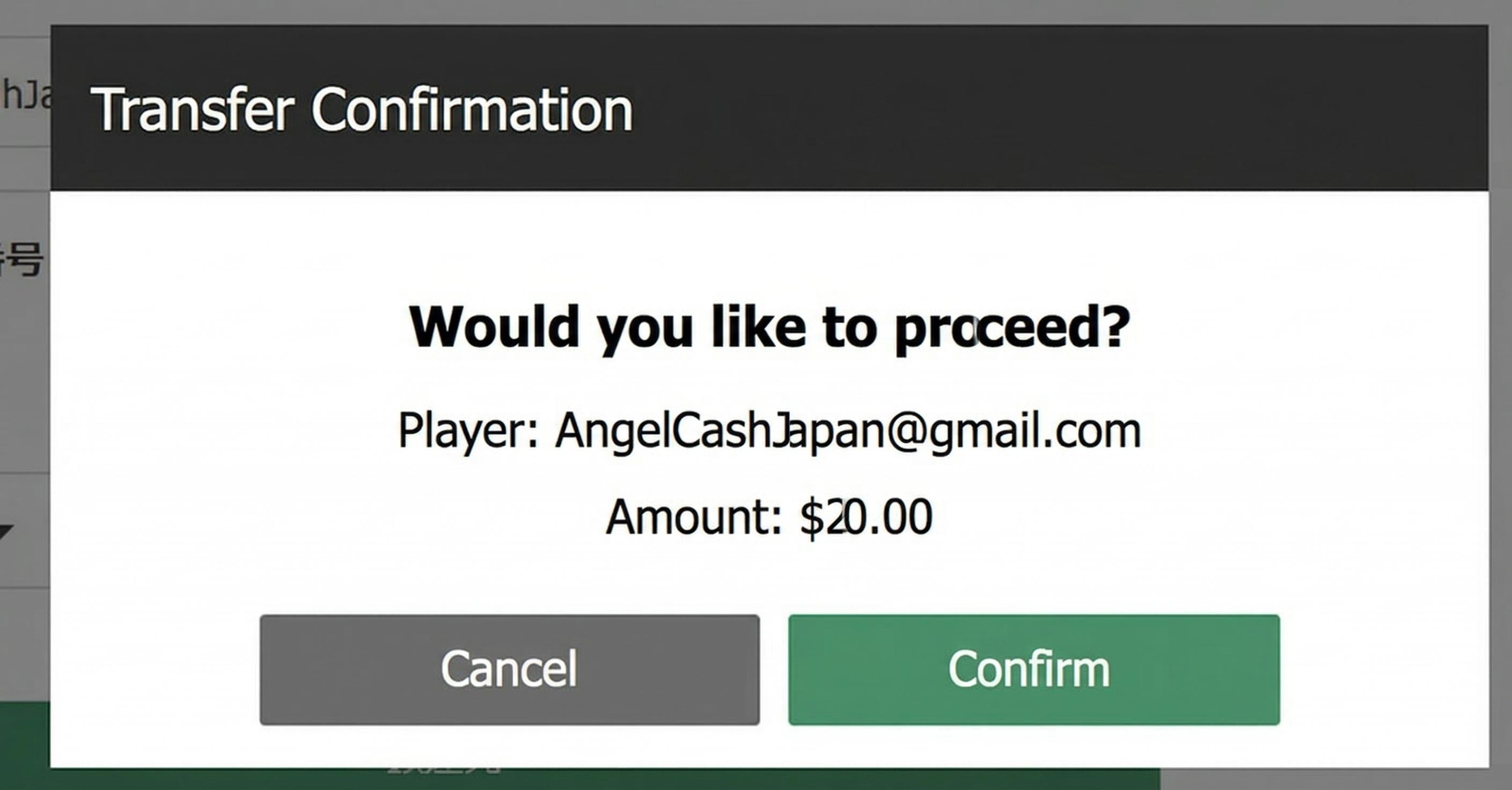
A confirmation screen “Do you wish to proceed?” will appear.
Press “Confirm.”
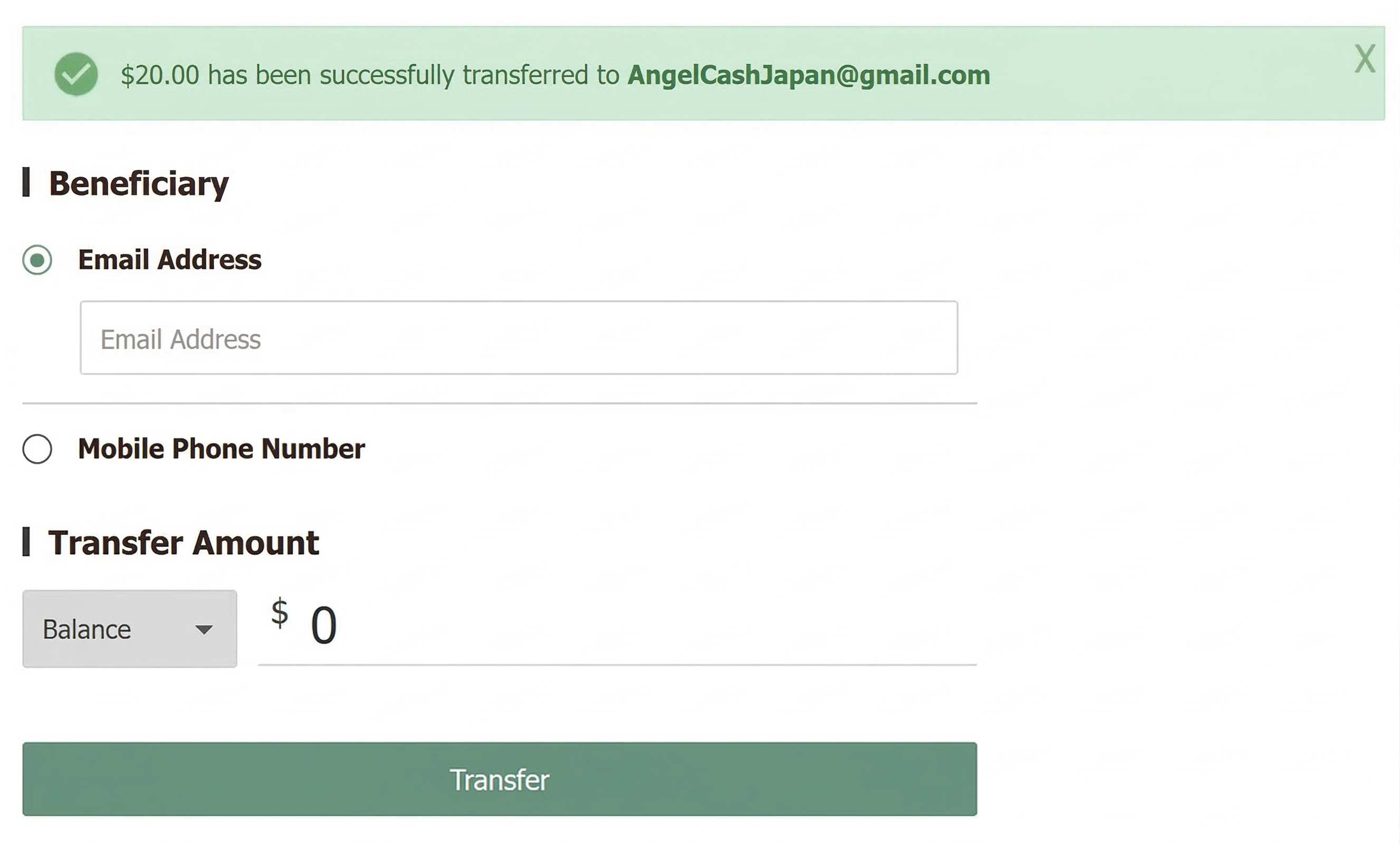
This confirms it, and “Transferred Successfully” appears.
The screen returns to the original “Email/Transfer Amount is blank” state.
Transfer to Account Within 3 Hours After Confirmation of Receipt
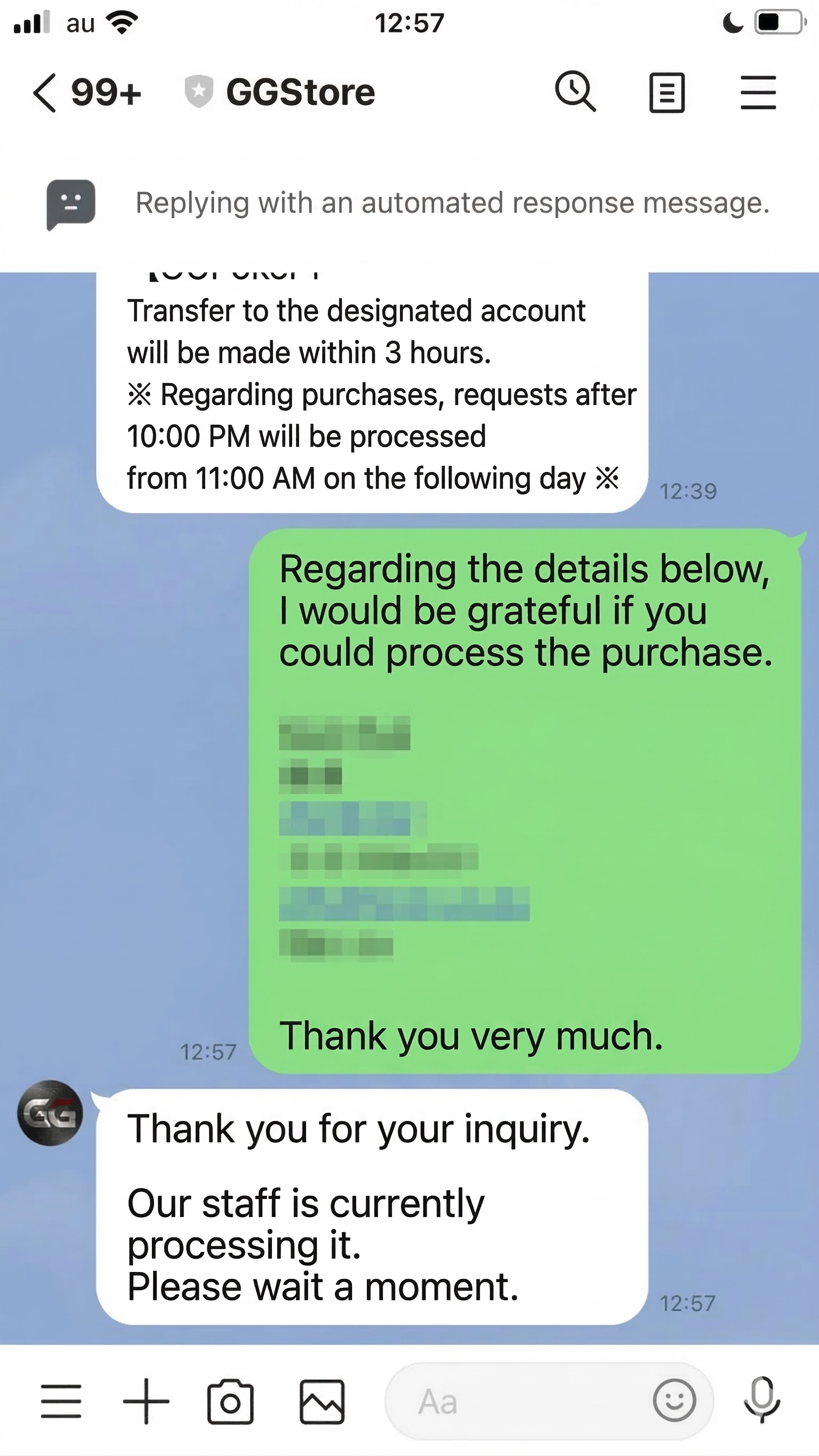
Return to LINE again and contact them.
After this, within 30 minutes to several hours, the transfer will be made to your bank account from “Queens Gate” as follows.

Actually trying multiple methods reveals that “withdrawal agency via GGStore is overwhelmingly convenient” among GGPoker withdrawal methods.
Unless you have a preference for returning the balance to a specific service like Payz or AstroPay, it is generally best to choose the withdrawal agency via GGStore.
GGPoker has a wealth of withdrawal methods, and by using a withdrawal agency, you can easily cash out the money you’ve earned. If you haven’t registered for GGPoker yet, please start via the button below.
\Limited Bonuses!/
How Much is the Withdrawal at GGPoker? List of Minimum Withdrawal Amounts by Method
Regarding how much you can withdraw from GGPoker, the minimum withdrawal amounts for each method are summarized as follows.
| Withdrawal Method | Minimum Withdrawal Amount |
|---|---|
| GGStore (Bank Transfer) | $10 |
| Credit/Debit Card, Payz, AstroPay, MuchBetter | $20 |
| Cryptocurrency (USD Coin) | $100 |
| Cryptocurrency (Bitcoin) | $1,000 |
As you can see, for GGPoker as a whole, the “minimum withdrawal amount is 10 dollars.“
We will explain each withdrawal method alongside actual screens showing those amounts.
GGStore (Bank Transfer): 10 Dollars
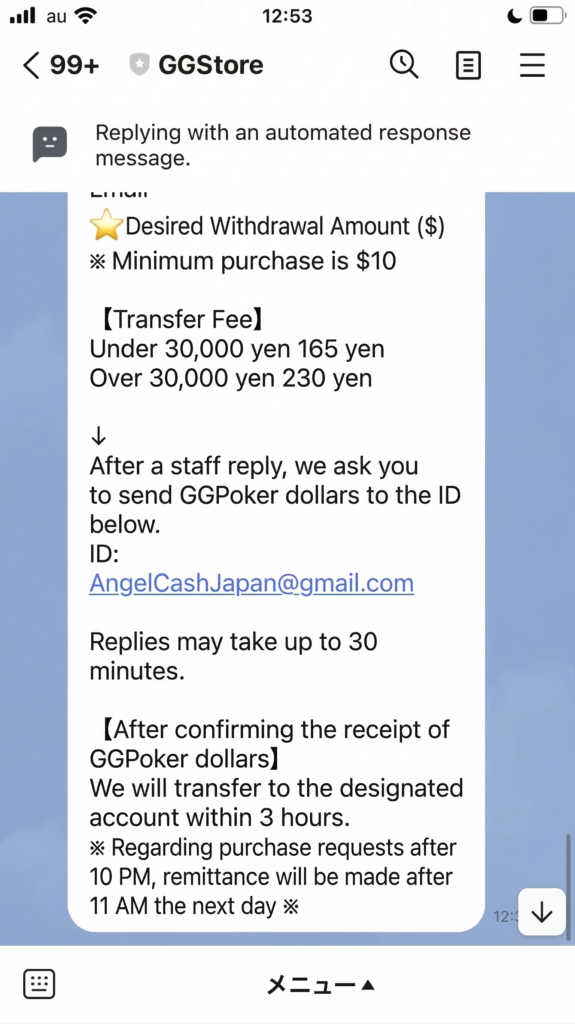
The minimum withdrawal for GGStore (Bank Transfer) is 10 dollars.
At the initial LINE application stage, it is written as “Minimum purchase amount 10 dollars” as shown in the image above.
Since this “amount to be purchased = amount transferred to bank account = withdrawal amount,” it means “minimum withdrawal amount = 10 dollars.”
Card & Electronic Payment: 20 Dollars
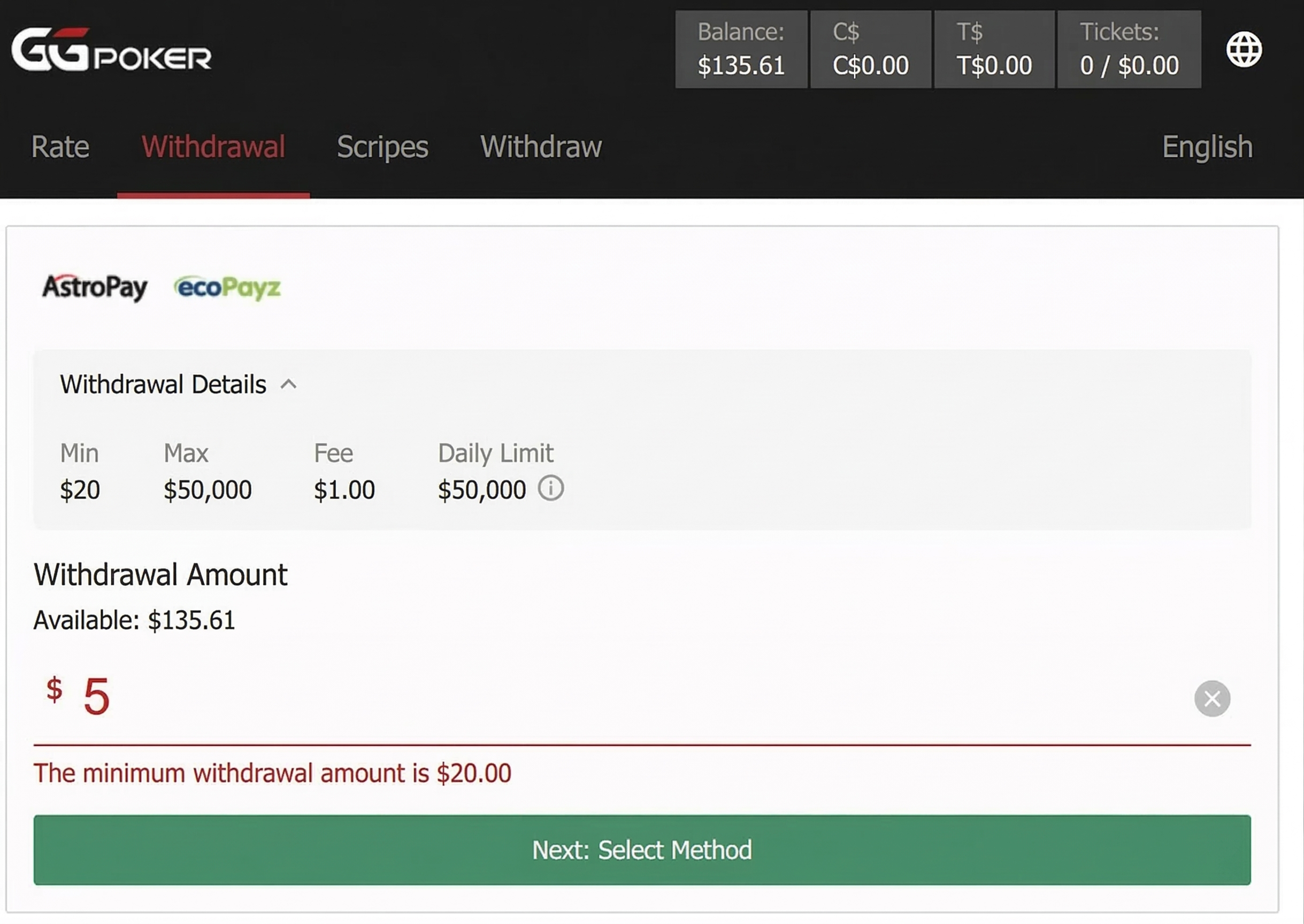
Most withdrawal methods other than GGStore have a “minimum withdrawal amount of 20 dollars.”
This can be seen on the withdrawal amount setting screen.
As shown in the image above, it is written as “The minimum withdrawal amount is $20.00.”
This applies to the following withdrawal methods:
- Credit Card / Debit Card
- Payz
- AstroPay
- MuchBetter
The minimum “deposit amount” for each is 10 dollars, but if you deposit 10 dollars, you will “be unable to withdraw” that amount.
(Because you must apply for at least 20 dollars).
In this case, it takes the form of “depositing an additional 10 dollars and withdrawing 20 dollars.”
Cryptocurrency (USDC): 100 Dollars
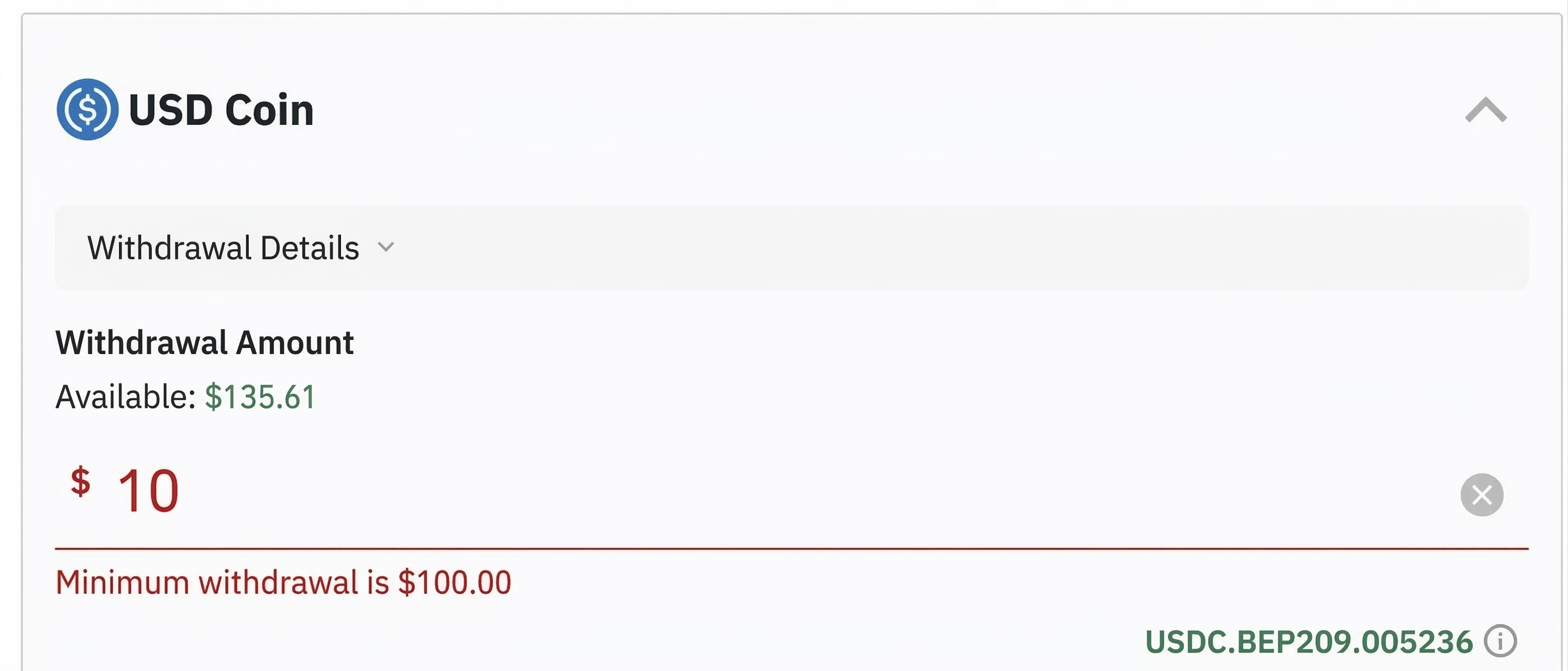
The minimum withdrawal for cryptocurrency USDC (USD Coin) is 100 dollars (approx. 14,000 yen).
This is as written on the screen above: “The minimum withdrawal amount is 100 dollars.”
The minimum deposit for USDC is also 100 dollars.
Therefore, if you deposit 100 dollars, that 100 dollars can, in principle, be withdrawn as is via USDC.
(Of course, it depends on the screening in that situation and the rules of the receiving wallet/exchange).
Cryptocurrency (BTC): 1,000 Dollars
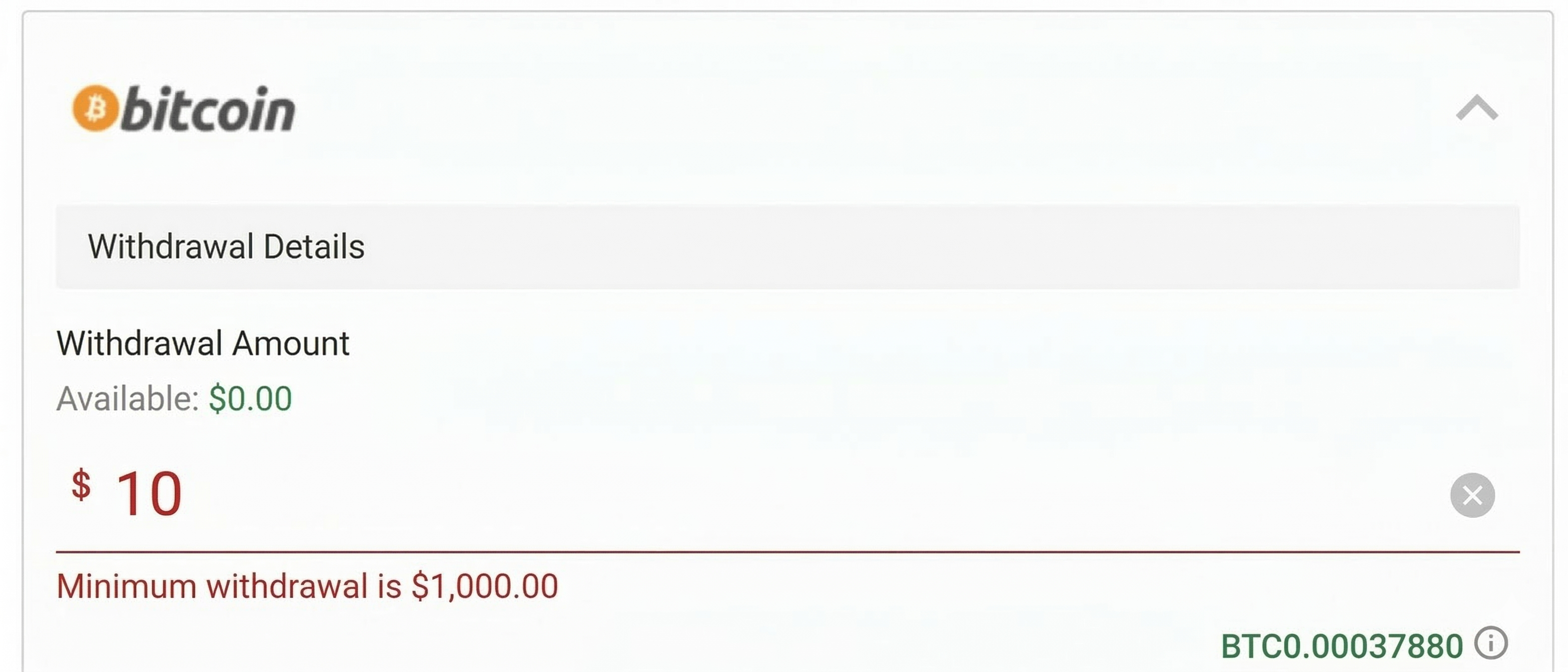
Even among cryptocurrencies, BTC (Bitcoin) has a quite high minimum withdrawal amount of 1,000 dollars (approx. 130,000 yen).
For deposits, it starts from a minimum of 100 dollars (approx. 13,000 yen), but withdrawals cannot be made unless it is 10 times that amount.
Since Bitcoin has a particularly high unit price among cryptocurrencies, it can be considered that this high unit price is being reflected.
GGPoker Withdrawal Conditions
GGPoker does not have withdrawal conditions (wagering requirements) like those in online casinos where “you cannot withdraw unless you bet X dollars or more.”
However, the following conditions must be met to withdraw.
- Complete all identity verification (KYC)
- Play the game at least once
- Deposit an amount equal to the withdrawal amount
In the case of a first-time withdrawal, deposit records and other details are checked closely to prevent money laundering.
Failure to meet withdrawal conditions will lead to trouble such as funds not being withdrawn, so be sure to check carefully.
Precautions for GGPoker Withdrawal
The following points require attention when withdrawing from GGPoker:
- You can only withdraw up to the “amount deposited by that method”
- Only one withdrawal request can be made at a time
- Cancellation is not possible at the withdrawal confirmation stage (possible before that)
We will explain each point of caution in detail along with actual screens.
Only Withdraw Up to the “Amount Deposited by that Method”
The amount you can withdraw at GGPoker is “up to the amount deposited by that withdrawal method.”
For example, suppose you deposited 20 dollars via AstroPay.
In this case, the amount you can withdraw via AstroPay is up to 20 dollars.
You cannot withdraw “30 dollars.”
The fact that you have 30 dollars means you must have “used other deposit methods“ as well.
Therefore, the remaining 10 dollars must be withdrawn via that “other deposit method.”
(For example, if you deposited from Payz, you withdraw via Payz).
If you find this rule “complicated,” GGStore allows you to withdraw “any amount all together.”
This means you can withdraw the total amount accumulated from multiple deposit methods all at once via GGStore.
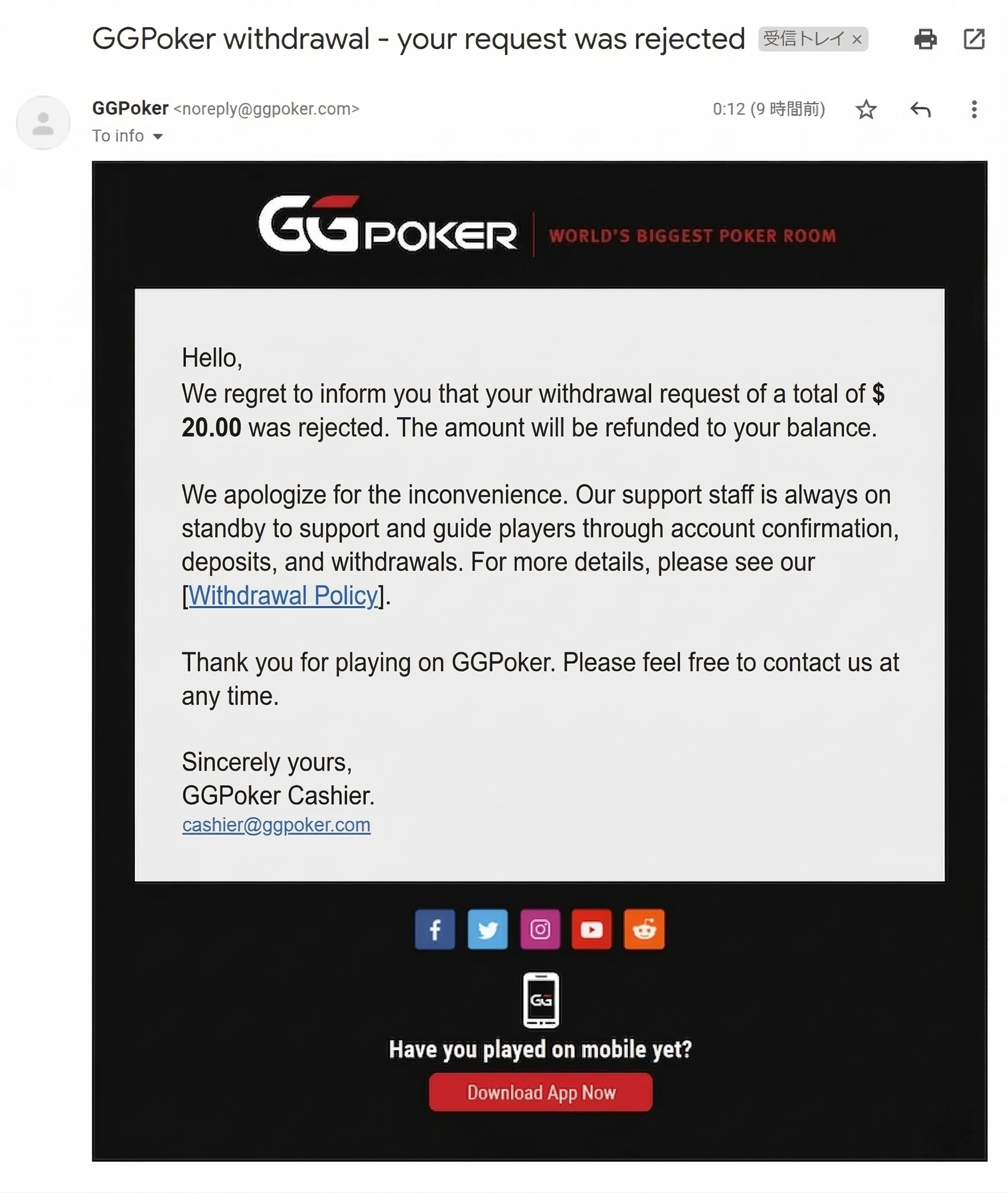
I actually tried it with AstroPay, but because the deposit was 10 dollars, a 20 dollar withdrawal was not possible.
The email above is what arrived at that time.
As written, the balance has been fully refunded.

The image above is from the deposit/withdrawal history.
At the bottom, there is a minus 20 dollars for the “astropay onetouch” payment.
This means a 20 dollar withdrawal request was made.
And at the top, it says “Refund Withdrawal—” and the 20 dollars in black text is what came back because it could not be withdrawn.
In this way, in the unlikely event that a withdrawal cannot be made or is rejected, the money will in principle return, so please rest assured.
(However, it is a different story if you send cryptocurrency to the wrong address).
Only One Withdrawal Request can be Made at a Time
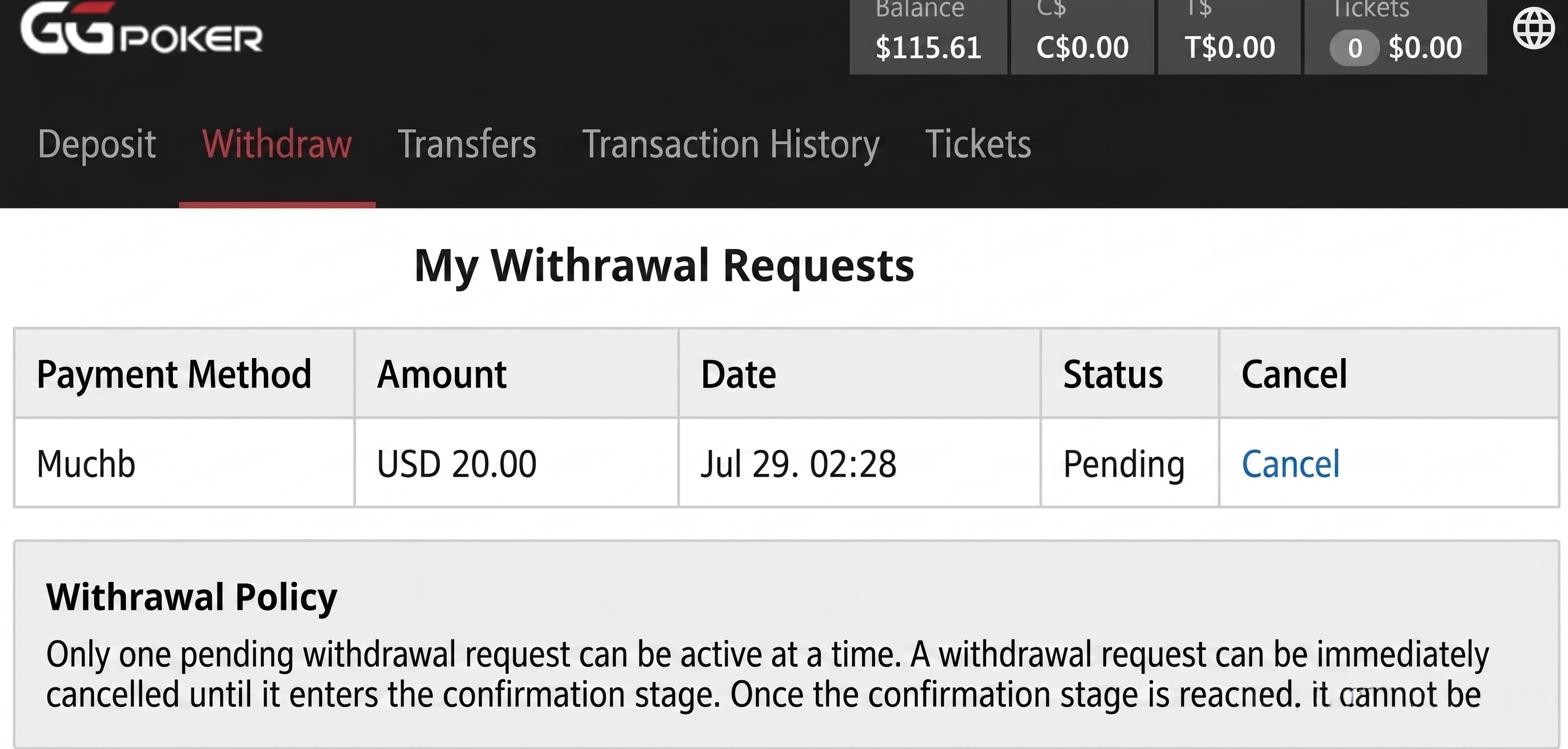
For methods other than GGStore, only one withdrawal request can be made at a time.
This is as written in the “Withdrawal Policy” section of the image above: “Only one pending withdrawal request will be active at any one time.”
With GGStore, you can make a withdrawal request in parallel with other methods regardless of this rule.
Cancellation Not Possible at the Withdrawal Confirmation Stage (Possible Before)
A withdrawal request can be immediately cancelled at your discretion as long as it is “Pending.”
There is basically no problem no matter how many times you cancel in a row (I cancelled at least 6 times in a row).
Once it enters the “withdrawal confirmation stage,” it cannot be cancelled.
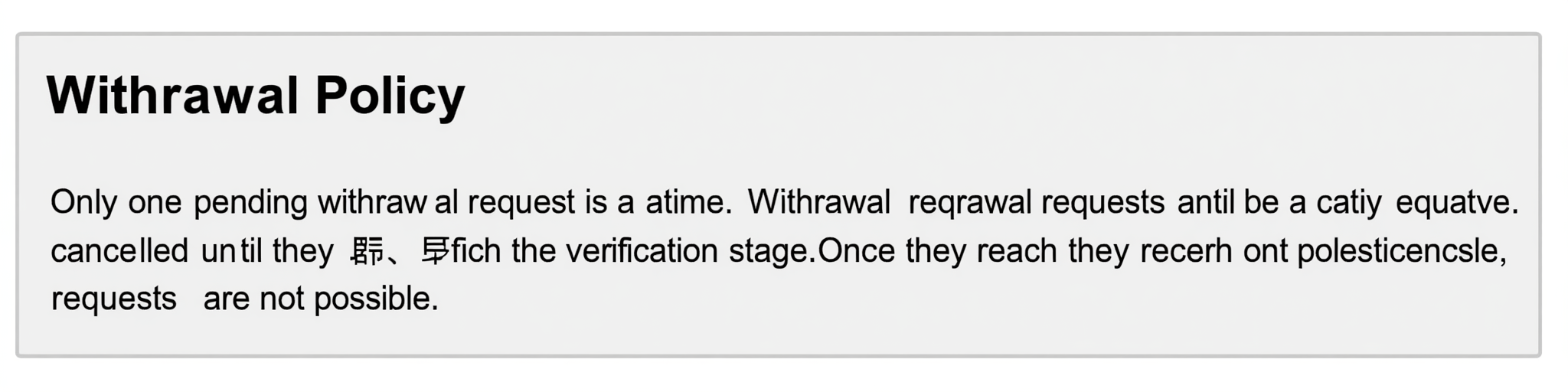
This rule is as written in the explanation above.
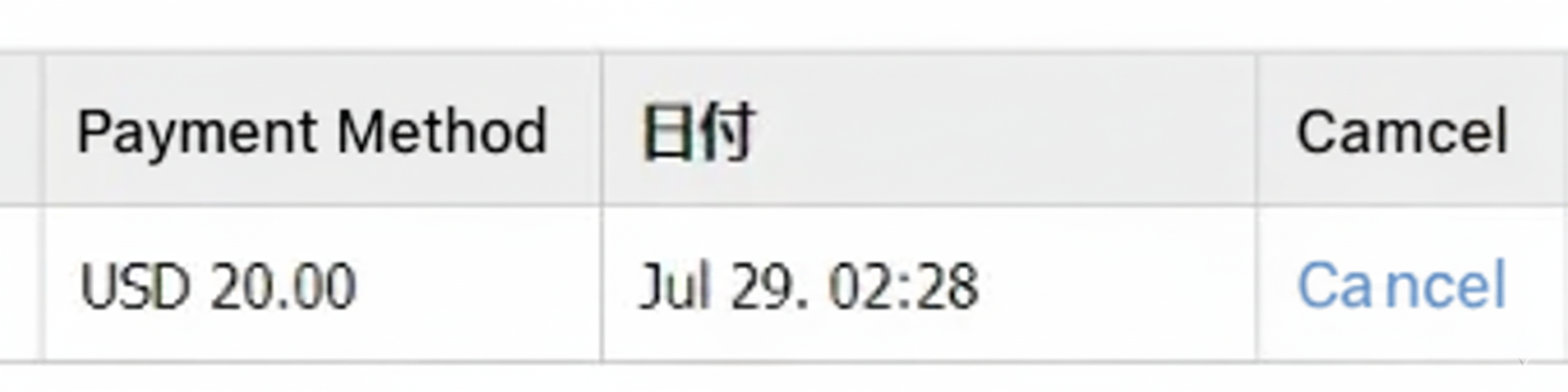
The way to cancel is easy, just click or tap the blue “Cancel” text.
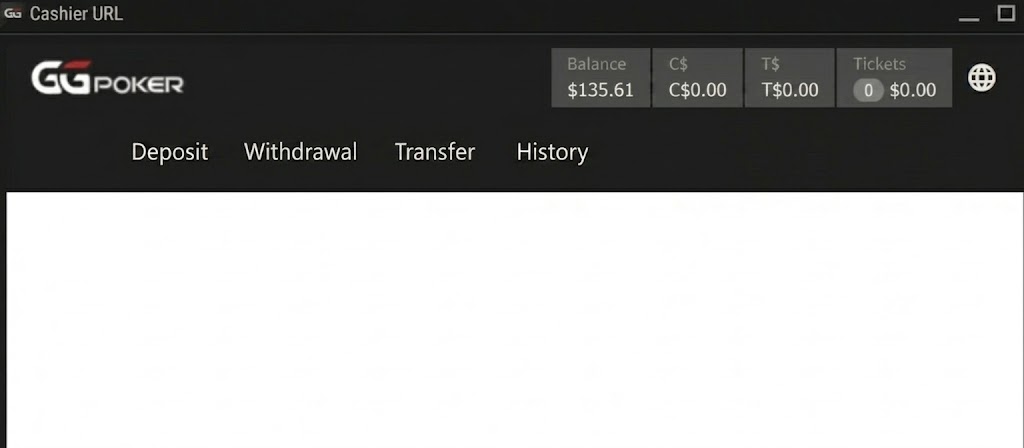
Then, cancellation begins immediately, and the screen becomes white like above.
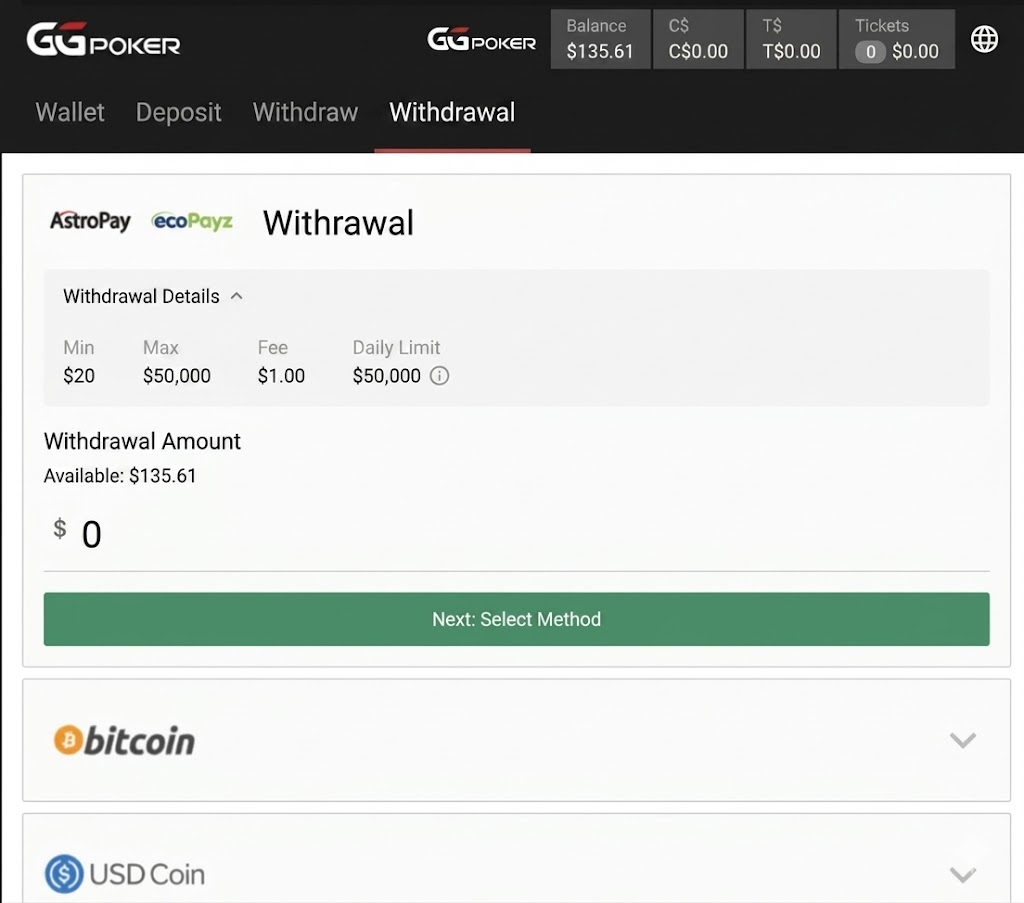
Then it returns to the “Withdraw” screen. Please perform withdrawals while paying attention to the above points.
After withdrawing, if you want to play at an online poker site with easier deposits and withdrawals, or want to play games that aren’t on GGPoker while earning money, KKPoker is also recommended.
There are four official deposit/withdrawal agencies and a wealth of game types, so it has a different kind of fun compared to GGPoker. If you are interested, please register from the button below.
\Limited Bonuses!/
Frequently Asked Questions About GGPoker Withdrawal
Here, we will answer frequently asked questions about GGPoker withdrawals.
How Long Does it Take to Withdraw?
The time it takes to withdraw varies depending on the payment method, ranging from those that can be withdrawn in a few hours like GGStore to those that take several days or more.
GG Poker
— 健全マン (@Im_Healthy_man) December 13, 2021
I withdrew to ecoPayz to check the procedure and time, but it’s quite slow. Should I be prepared for about a week?
Therefore, when withdrawing, please apply while keeping in mind that it may take several days.
If you want to have money on hand immediately, we recommend GGStore, which withdraws within 3 hours.
How Much is the Tournament Prize Money? Can Tournament Dollars (GGT) be Withdrawn?
The amount of tournament prize money varies greatly depending on what you enter. Since GGPoker also operates the online version of the world championships, there are tournaments with a prize guarantee of 100,000 dollars.
It is possible to withdraw tournament dollars (GGT). However, you cannot withdraw tournament dollars as they are. You can only withdraw the portion you obtained by participating in tournaments.
Play at GGPoker, Which Has a Wealth of Withdrawal Methods!
To summarize, the most recommended withdrawal method for GGPoker is bank transfer via GGStore, which is the official withdrawal agency.
It is the number one withdrawal method under all conditions, such as “no limit on amount, the fastest time until withdrawal, and the ability to apply simultaneously with other methods.“
Therefore, if you are unsure about the GGPoker withdrawal method, please try GGStore before looking for other withdrawal methods.
If you want to further reduce fees and deposit/withdraw more easily after withdrawing from GGPoker, registering for KKPoker is also recommended. KKPoker, which has the No. 1 number of Japanese players, is popular for being comfortable to use in all aspects, including withdrawal methods.
For those who “want to enjoy online poker without stress,” including deposits and withdrawals, please give KKPoker a try. Also, for those who want to know the reviews and reputation of KKPoker, the article “Is the Reputation of KKPoker Crazy? The results of actually using it…” is recommended.
I want to start KKPoker too! But can I do it?
KKPoker is an app even more recommended for beginners than GGPoker. If you register from our site, you can receive a higher rakeback than at GGPoker, so it’s a great deal!
If you’re interested, please try registering.
When signing up for KKPoker, enter the special bonus code “82237” or register via our site to receive luxury rewards!
[Site Exclusive! Limited Bonus]
- No-Deposit Bonus worth up to $24
- Exclusive luxury prize draws
- Rakeback bonuses
[Club Features]
- Over $1,000 in monthly prizes!
- Weekly Freerolls!
- One of the largest official communities with 8,000+ members!
- Exclusive community tournaments!
\Start Playing KKPoker for Free/