



Can’t I play KKPoker on PC?

Basically you can’t, but let me tell you a secret trick to play on PC!
Do you think KKPoker can only be played on a smartphone?
Actually, there are methods to play KKPoker on a PC (personal computer).
This time, we will introduce in detail 3 methods, procedures, precautions, and frequently asked questions for playing KKPoker on a PC, which normally only exists as a smartphone app.
If you want to try playing KKPoker on PC, this is a must-see!
If you haven’t completed registration yet, we recommend finishing it first while looking at the “Registering for KKPoker” article.
- By using an emulator etc., you can play on a PC.
- For the emulator, “NoxPlayer” is recommended.
- It’s easier to register for KKPoker from a smartphone rather than a PC.
- If you register for KKPoker, join a club within 14 days to get advantageous benefits.
- If you want a safe and advantageous club, join the largest one, “Oncaji Record!”
オンラインポーカーをお得に始めるならKKポーカーがおすすめです!
KKポーカーのアプリをDLして招待コード「82237」を入力するか、当サイトから登録すれば豪華な限定ボーナスもらえる!
【当サイト限定特典ボーナス】
- 最大24ドル相当の入金不要ボーナス
- クラブ限定豪華抽選
- レーキバックボーナス
【クラブの特長】
- 毎月$1,000以上の賞金!
- フリロール 毎週開催!
- 8,000人以上!公式最大級クラブ
- クラブ限定独自のトナメ開催!

\当サイト限定特典!/
Can I play KKPoker on PC?

To give the conclusion, yes you can.
Isn’t it only for smartphone apps?
That’s right, but you can force it to play.
It’s a bit of a forceful method, but you can play KKPoker by using a virtual smartphone on your PC.
This time, we will explain in detail how to play KKPoker on PC using a virtual smartphone, so if you absolutely want to play KKPoker on PC, please use this as a reference.
How to Play KKPoker on PC using NoxPlayer
I will immediately introduce how to play KKPoker on PC.
Do I use some kind of tool?
The tool we’ll use this time is ‘NoxPlayer’!
Then, I will explain in detail while inserting images, so please try following along.
Installing NoxPlayer
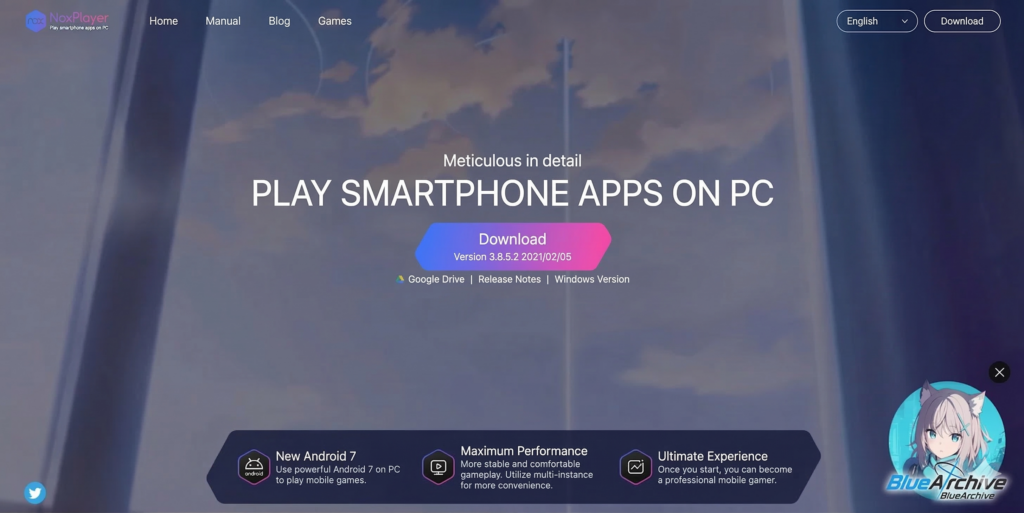
First, install NoxPlayer, a software that can create a virtual smartphone on your PC.
⇨Click here for NoxPlayer official website
If I use this software, can I play KKPoker on a smartphone?
That’s right!
You can use a virtual smartphone!
Complete the process from downloading to installing the software from the URL above.
Opening the Browser
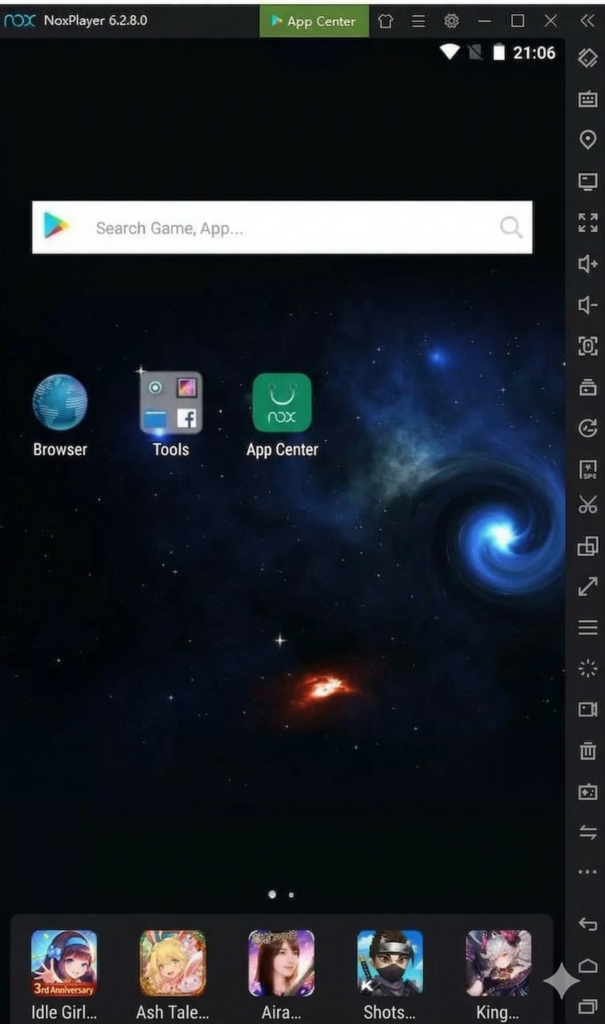
Once Nox is successfully installed and you open the app, the screen looks like the one above.
Click “Browser” to open the Web.
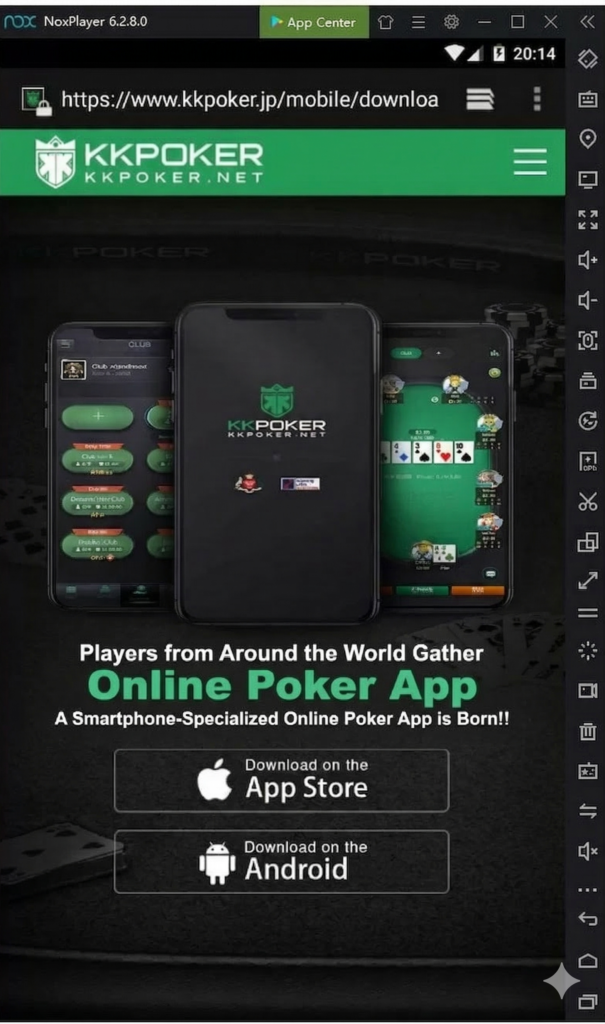
Once the browser is open, in the URL field,
enter “https://jp.kkpoker.net/“
and access the KKPoker official website.
Downloading the App
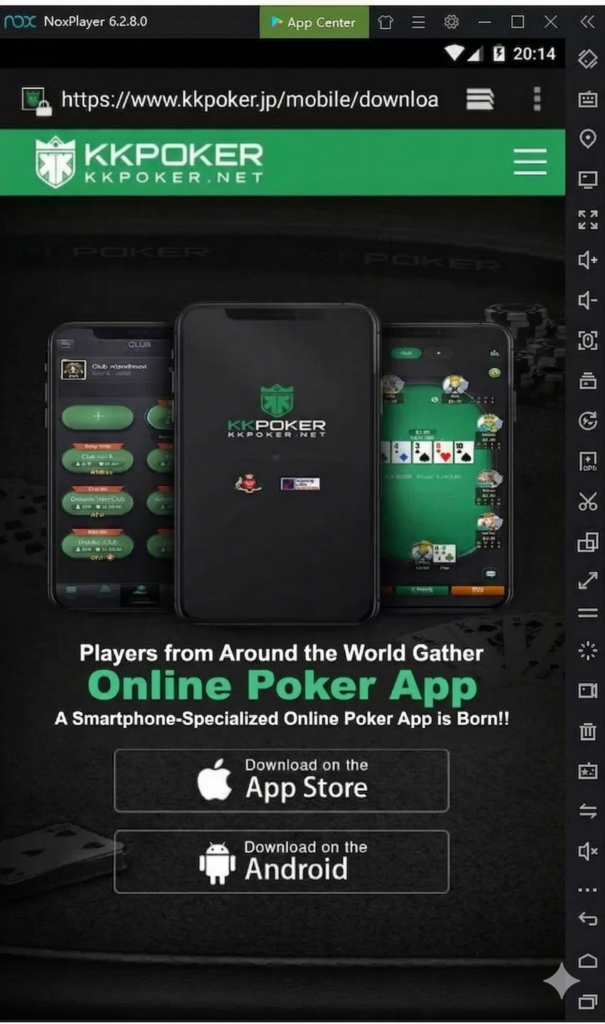
Tapping “Android” will start the download of the KKPoker app.
This is amazing!
This is a smartphone you can use virtually!
Installing the App
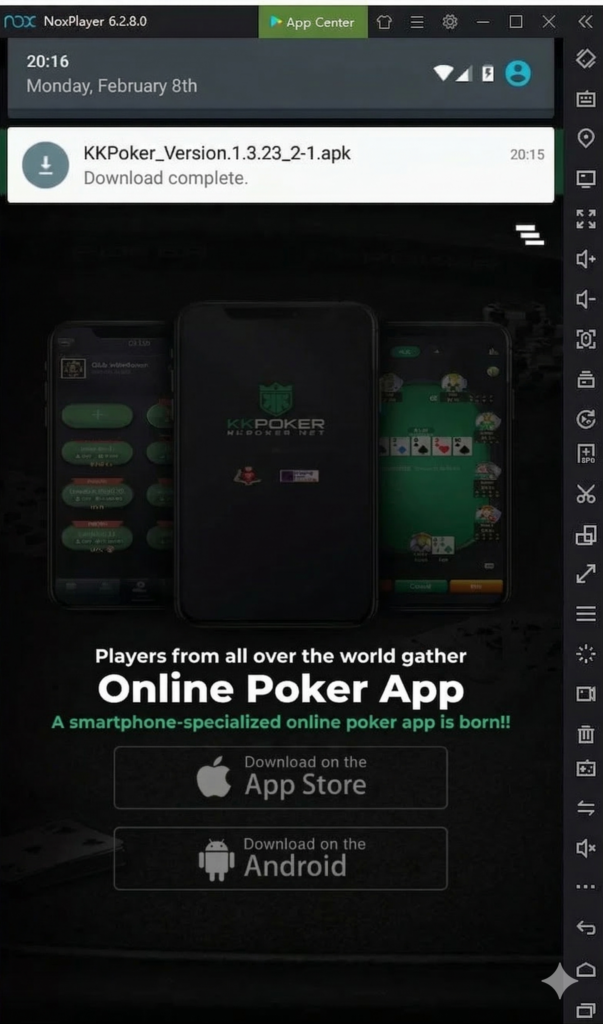
A notification will appear as shown above, so click the notification.
If the notification doesn’t appear like above, click the notification button at the top left of the screen.
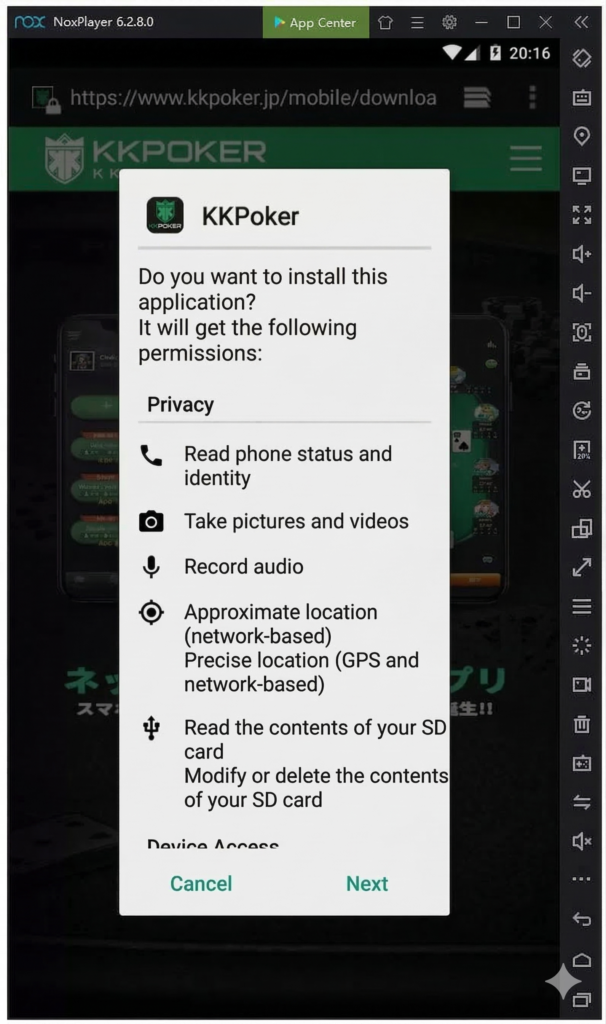
A pop-up like above will open, so press “Next” to proceed.
Opening the Installed App
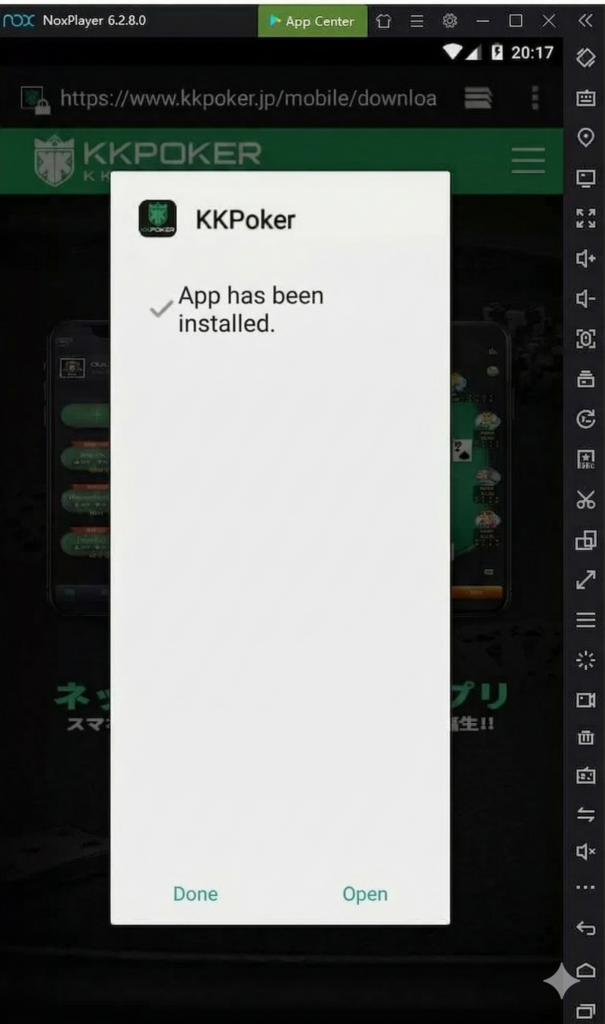
Once the installation of KKPoker is complete, click “Open.”
The installation is complete when KKPoker starts up.
Registering for KKPoker
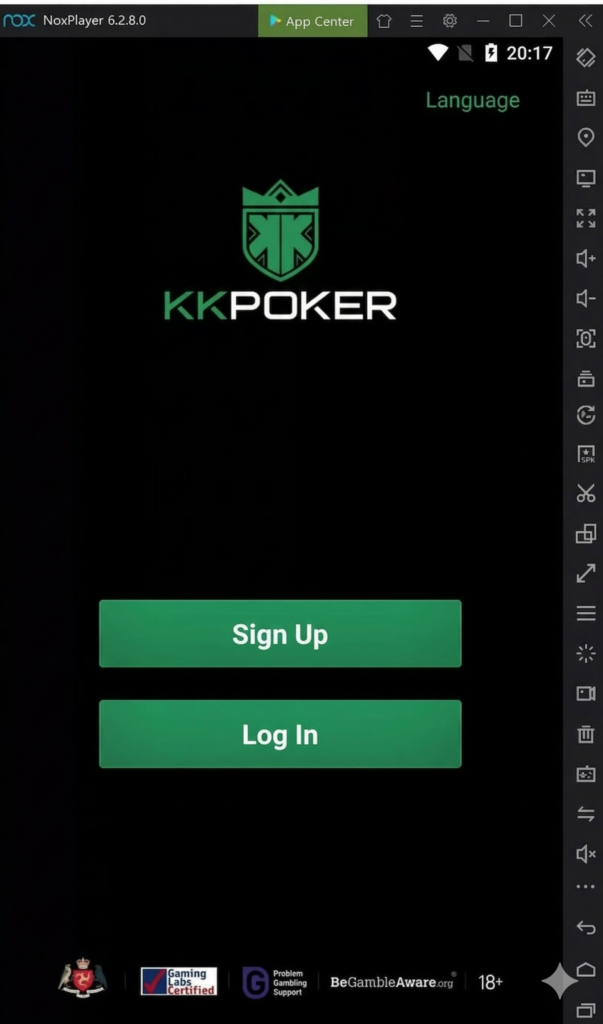
Once KKPoker opens, press “Register” or “Login” to play KKPoker.
If you haven’t registered yet, please try registering while referring to “What is KKPoker?”
Since registration is easier on a smartphone, we recommend registering first from the registration button below.
\限定ボーナスあり!/
Method and Procedures for Playing KKPoker on PC using Mirroring Software
Here, we introduce how to play KKPoker on a PC screen using mirroring software.
Installing Mirroring Software
First, install the mirroring software.
ApowerMirror: Mirroring software popular worldwide. Can mirror via USB or WiFi. Full-screen and other options possible.
LonelyScreen: Can connect via Wi-Fi etc. High operability, recommended for beginners.
LetsView: Can connect via Wi-Fi etc. Available completely for free.
Please try downloading the one you like to your PC.
Connecting with a Smartphone Screen and Projecting the Screen
The connection method varies by app, so please respond according to each app’s method.
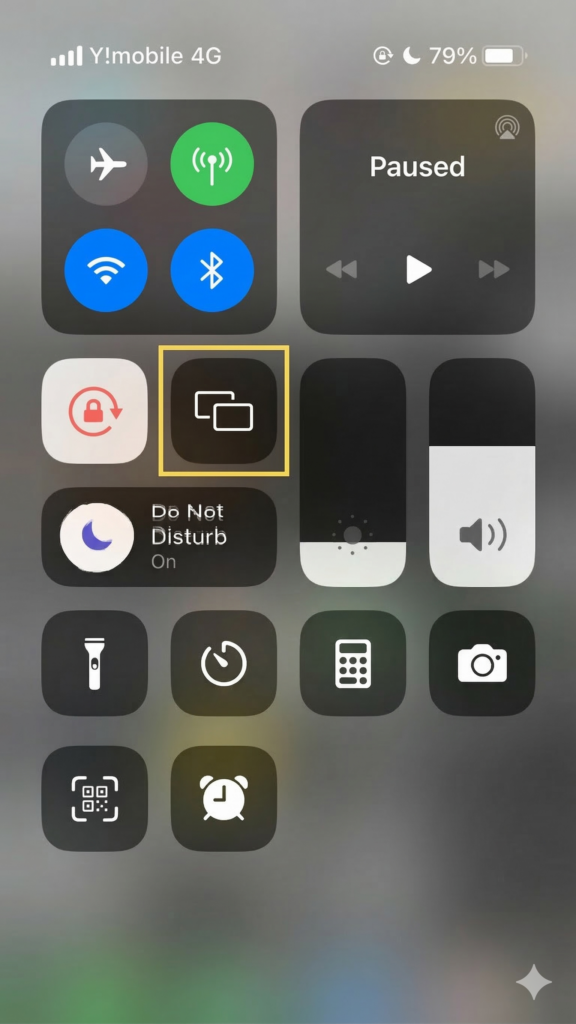
In the case of a smartphone, the area within the yellow frame in the image is the mirroring app, so when connecting via Wi-Fi, tap this icon to connect.
Registering for KKPoker
When connected, the same screen as the smartphone is projected on the PC, and it moves in conjunction with smartphone operations.
*Image is for illustration purposes.
Most mirroring apps only display the smartphone screen, so the actual operation will be from the smartphone.
However, it is recommended for people who want to play on a large screen or record their play.
Method and Procedures for Playing KKPoker on PC using BlueStacks [Possibility of Not being able to Log In]
Finally, I’ll introduce the method using BlueStacks. BlueStacks is a type of emulator that creates a virtual Android on a PC to play apps. However, please note that some people may not be able to log in to KKPoker.
Installing BlueStacks from the Official Site
Source: bluestacks
First, open the official site on your PC and install BlueStacks.
Searching for “KKPOKER” and Downloading KKPoker
Once BlueStacks is installed, download KKPoker from the virtual Android created. If you type “KKPoker” into the search box in BlueStacks, the icon will appear, so click the icon to download.
Registering/Logging in to KKPoker
Once KKPoker is downloaded, the usual login screen will appear, so register or log in.
Since it involves opening on a different device, you will be logged out of the smartphone you are currently using, so be careful not to log out during play.
Benefits of Playing KKPoker on a Computer

Here, we explain the benefits of playing KKPoker on a PC.
Playable Even Without a Smartphone
The first conceivable benefit of playing KKPoker on PC is being able to play even without a smartphone.
Are there many people who don’t have smartphones?
It’s not just simply not having a smartphone; there are people who temporarily can’t use their smartphone due to failure or a dead battery!
Being able to play on PC as well as smartphone will broaden the range of play.
Especially for those who earn with KKPoker, if they become unable to use their smartphone for some reason, they will lose their income, so it’s safer to have an alternative prepared.
Well certainly, if you’re someone who earns a lot, any decrease in playable time might be a loss…!
This might be a bit of an extreme example, but it’s better to be able to play on PC as well as smartphone just in case…!
Also, even if you try to download it on a smartphone, capacity might be insufficient due to spec issues.
Not only for those without a smartphone, but even for those who have one and can use it normally, making it playable on a PC just in case might be one of the options.
Operable with a PC
The ability to operate KKPoker on a PC is also one of the major benefits.
For people who usually play online poker or online casinos on PC, it’s natural to want to play on PC rather than smartphone.
Also, some players feel they get stiff shoulders while playing on a smartphone.
Hand rush of JJ, AQs, and KK right after sitting at the table.
— なまけたろう (@dietnamaketaro2) December 21, 2020
In the case of KK, the board was AKx and I got an all-in call from AT!
My shoulders already hurt. #kkpoker
KKPoker is made with great consideration for operability so that anyone can play easily.
Therefore, you can play comfortably on a smartphone, but someone accustomed to PC operation might think a PC is better.
This is just a matter of preference, so you should choose whichever is easier for you to play!
Questions Often Asked by People who want to Play KKPoker on a Computer
I will now answer questions often asked by people who say they want to play KKPoker on PC.
If you’re thinking of playing on PC from now on, please use this as a reference.
Are there any Precautions when Playing KKPoker on PC?
If there’s one point of concern, it would be the PC’s specs.
NoxPlayer etc. consume quite a bit of memory.
What does that mean?
It means the PC’s specs are important!
Therefore, if the PC is too old, the operation might be too heavy and unusable.
It might be good to try downloading once and seeing if it can be used.
Which is Recommended, PC or Smartphone?
By far, the smartphone.
Since it’s an app originally made specifically for playing on smartphones, it’s generally clearly easier to play on a smartphone.
Is that so!
I don’t think there’s a need to force it on PC!
Please use NoxPlayer to play on PC only if you absolutely want to play on PC!
Is it Okay to Play KKPoker on a Different Terminal?
You can play normally on a different terminal by logging in again. There’s no problem as long as you don’t create multiple accounts on each terminal.
Is it okay as long as I don’t make multiple accounts?
It’s okay as long as you play with the same account. Please be careful as creating multiple accounts might result in a ban.
Can I Multi-Table on PC and Smartphone?
In the case of the same account, you can only use one of the terminals, so you cannot multi-table.
If you want to multi-table, you need to use different deposit/withdrawal methods. Also check the “KKPoker Official Japanese Version Guide”!
You can play KKPoker on PC!

Because KKPoker was originally made for playing on smartphones, nothing is written even officially about how to play on a PC (computer).
However, as introduced in this article, you can play on PC by using an emulator etc.
It can be done surprisingly easily.
Once you can install Nox, the rest is easy!
If you gave up on KKPoker because you couldn’t use a PC, please take this opportunity to register.
Also, if you are undecided about which club to join or looking for a club after leaving one, I recommend the largest KKPoker official club, “Oncaji Record.“
オンラインポーカーをお得に始めるならKKポーカーがおすすめです!
KKポーカーのアプリをDLして招待コード「82237」を入力するか、当サイトから登録すれば豪華な限定ボーナスもらえる!
【当サイト限定特典ボーナス】
- 最大24ドル相当の入金不要ボーナス
- クラブ限定豪華抽選
- レーキバックボーナス
【クラブの特長】
- 毎月$1,000以上の賞金!
- フリロール 毎週開催!
- 8,000人以上!公式最大級クラブ
- クラブ限定独自のトナメ開催!
\当サイト限定特典!/